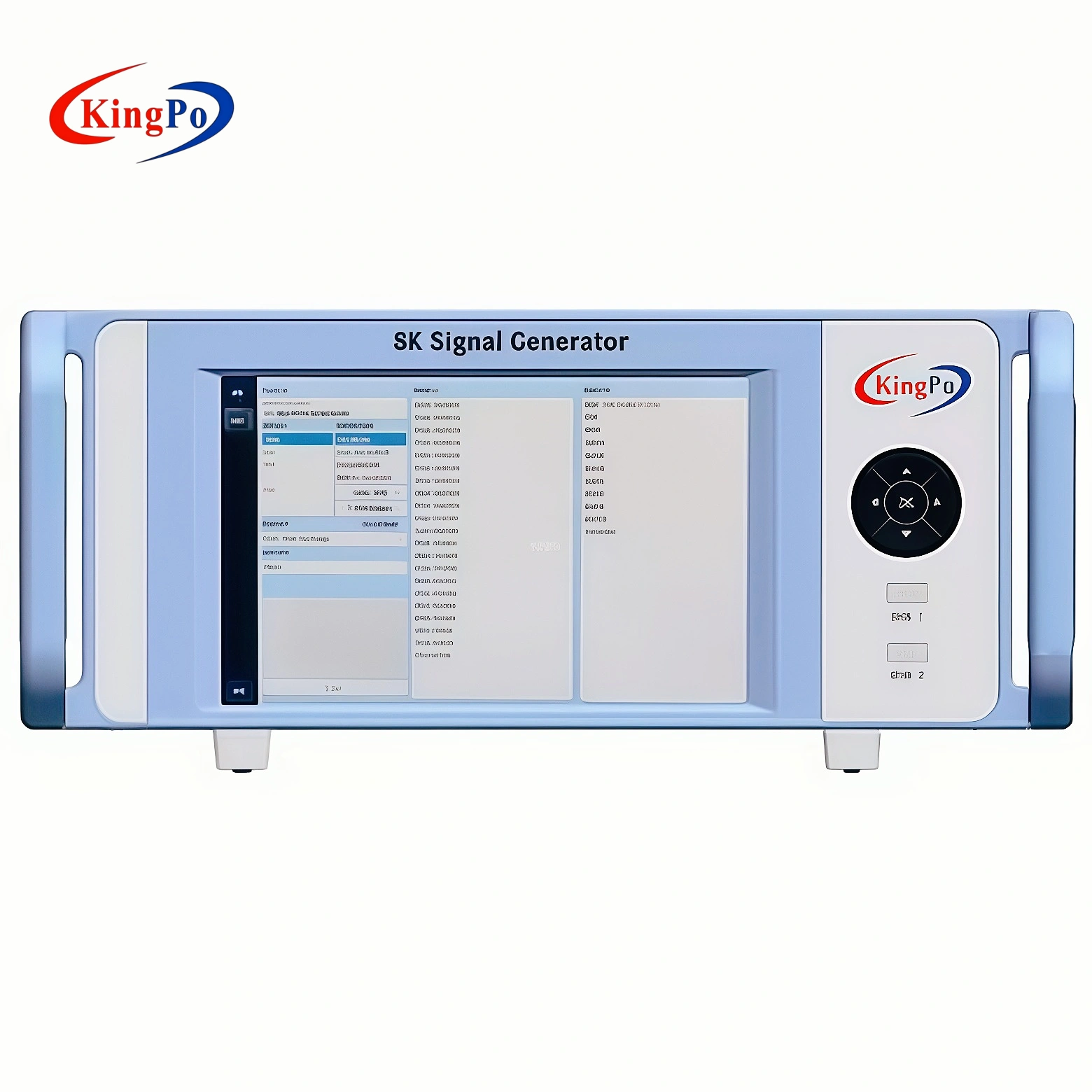
You can calibrate high-resolution displays faster and more accurately with an 8k signal generator. Reliable calibration matters for every tv, especially as UHD standards evolve. Over the past five years, the industry has seen steady growth in 8k signal generator adoption, as shown below:
|
Year |
Market Value (USD) |
CAGR (%) |
|---|---|---|
|
2023 |
6.2 |
Advanced tools like the KINGPO 8K Signal Generatorfor and 8K Media Player make HDMI 2.1 Protocol Compliance Test simple. You experience a shift from old methods to modern solutions with 8k.
Key Takeaways
-
An 8K signal generator simplifies display calibration, making it faster and more accurate.
-
It supports advanced features like HDMI 2.1, ensuring compatibility with the latest high-resolution displays.
-
The device offers over 100 test patterns, allowing for thorough setup, calibration, and troubleshooting.
-
Automated calibration sequences can reduce calibration time by up to 48%, improving workflow efficiency.
-
Using an 8K signal generator helps maintain consistent calibration results across multiple sessions.
-
It enables testing for critical standards like BT.2020 color gamut and HDR10+, ensuring high-quality visuals.
-
The generator’s broad compatibility allows it to connect with various display types, enhancing versatility.
-
Saving calibration profiles streamlines future calibrations, reducing errors and saving time.
What Is an 8K Signal Generator?
Core Functions
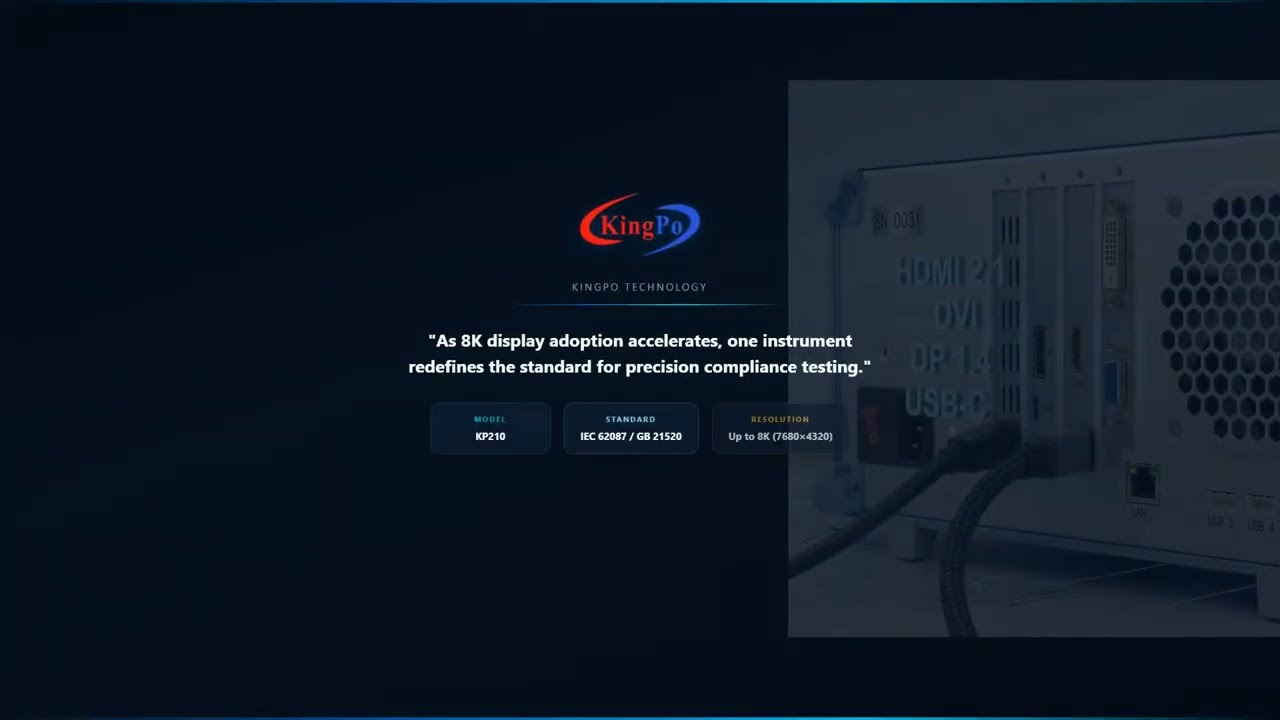
An 8k signal generator gives you a reliable way to test and calibrate the latest high-resolution displays. You use this device to create precise video and audio signals that match the highest standards in the industry. These signals help you check if your tv or monitor can handle advanced formats like HDMI 2.1, which supports up to 48Gbps bandwidth, Chroma Subsampling 4:4:4, and 12-bit Deep Color. You can also test for signal integrity and ensure your display supports the BT.2020 color gamut and HDR10+.
Here is a summary of the main functions you get with an 8k signal generator:
|
Function/Feature |
Description |
|---|---|
|
HDMI Pattern Generation |
Creates signals that act as any modern HDMI source for calibration. |
|
Test Patterns |
Offers over 100 test patterns for setup, calibration, and troubleshooting. |
|
ISF Test Patterns |
Includes a full suite for accurate smart calibration. |
|
EDID Functionality |
Reads and writes EDID for better compatibility with different displays. |
|
Custom Resolutions |
Lets you create custom resolutions for unique display needs. |
|
Control Options |
Supports RS232 or USB control and works with calibration software. |
|
Firmware Upgradeability |
Allows you to update the device as technology advances. |
|
Audio Confidence Tests |
Provides audio signal tests for complete system checks. |
|
Portability |
Features a handheld design with a built-in battery for easy transport. |
You can see that these features make the 8k signal generator a flexible tool for many testing scenarios. For example, the KINGPO 8K Signal Generator supports HDMI 2.1, DisplayPort 1.4, DVI, USB-C, and VGA. This means you can connect to almost any display on the market.
Role in Calibration
You use an 8k signal generator as a standard source for ultra-high-definition performance validation and energy efficiency testing. This device helps you verify that your display meets the latest compliance standards, such as GB 21520-2023 and IEC 62087. You can test standard monitors, commercial displays, LED screens, and interactive units with one tool.
Discover the KINGPO 8K Signal Generator
Elevate your display calibration with cutting-edge technology designed for precision and efficiency.
The generator produces signals at up to 7680×4320 resolution and refresh rates up to 160Hz. You can check color accuracy using ITU-R BT.2020 and pixel formats like 8bit RGB444 Full Range or 10bit YUV422 Narrow Range. Built-in test patterns let you measure brightness, contrast, and uniformity. You can also use the device to troubleshoot HDMI cable issues or measure audio latency.
Tip: Using an 8k signal generator streamlines your calibration process. You save time and reduce errors compared to manual methods.
With smart calibration features, you can automate many steps. You get consistent results every time, which is essential for professional labs and manufacturing lines. The KINGPO 8K Signal Generator, for example, works closely with national testing centers to ensure accuracy and reliability.
Calibration Challenges Without 8K Tools
Traditional Limitations
You face many obstacles when you try to calibrate high-resolution displays with older tools. Traditional calibration devices, such as photometers, often struggle to keep up with the demands of modern UHD technology. These tools do not always account for the non-linear relationship between video voltage and luminance output. This mismatch can cause errors when you try to achieve accurate visual results on your tv or monitor.
Older systems also lack support for advanced features like HDMI 2.1, FRL, and 48Gbps bandwidth. You cannot test Chroma Subsampling 4:4:4 or 12-bit Deep Color with legacy equipment. This means you miss out on the full range of color and detail that high-end displays can offer. You may find it difficult to validate signal integrity or check compliance with the BT.2020 color gamut and HDR10+ standards. These gaps make it hard to guarantee the performance of the latest UHD displays.
Note: Many traditional calibration tools require a high level of technical expertise. If you do not have specialized training, you may find the process confusing and time-consuming.
Pain Points for Users
You may notice several pain points when you rely on outdated calibration methods:
-
Complex Setup: You often need to connect multiple devices and adjust many settings by hand. This increases the risk of mistakes.
-
Limited Accuracy: Older tools can produce inconsistent results, especially with high-resolution displays. You may see color shifts or uneven brightness.
-
High Costs: Photometers and similar devices can be expensive. As other lab equipment becomes more affordable, the cost of these tools stands out even more.
-
Slow Workflow: Manual calibration takes a lot of time. You must repeat steps to get reliable results, which slows down your work.
-
Compatibility Issues: Legacy systems may not support the latest interfaces or test patterns. You cannot fully evaluate new display technologies.
You need a solution that addresses these challenges. Upgrading to an 8K signal generator allows you to streamline your calibration process, improve accuracy, and keep up with the latest industry standards.
8K Signal Generator: Solving Calibration Challenges
Precise 8K Test Patterns
High-Resolution Impact
You face a challenge when calibrating modern UHD displays. High-resolution screens demand test patterns that match their native resolution. If you use low-resolution patterns, you risk missing subtle defects like blurring or ghosting. The KINGPO 8K signal generator produces test patterns at 7680×4320 resolution. This capability ensures you validate pixel rendering and image quality at the highest level.
|
Evidence Description |
Impact on Calibration |
|---|---|
|
High-resolution test patterns are essential for accurate image and color rendering. |
They ensure compliance with industry standards and enhance overall calibration accuracy. |
|
Automated testing combined with human evaluation improves detection of visual defects. |
This dual approach helps in identifying subtle issues that may affect display quality. |
|
Regular calibration and environmental control enhance testing reliability. |
Consistent calibration schedules help maintain the integrity of the display calibration process. |
|
Testing equipment must validate performance at native UHD resolution. |
Ensures accurate pixel rendering, minimizing visual artifacts like blurring and ghosting. |
You see the difference when you use an 8k generator. The test patterns reveal issues that legacy 4K calibration tools cannot detect. You gain confidence in your calibration results because you test at the display’s true resolution.
Calibration Accuracy
Calibration accuracy depends on the quality of your test patterns and the precision of your calibration tools. The KINGPO 8K signal generator supports advanced features like HDMI 2.1, FRL, 48Gbps bandwidth, Chroma Subsampling 4:4:4, and 12-bit Deep Color. You can test signal integrity and verify compliance with BT.2020 color gamut and HDR10+ standards. These features help you achieve accurate color reproduction and consistent brightness.
You also benefit from automated calibration sequences. These sequences combine machine learning models with human evaluation. You save time and reduce manual errors. Automated calibration can cut total calibration process time by up to 48%. You maintain high accuracy and repeatability, which is essential for professional labs and manufacturing lines.
Broad Compatibility
Multiple Interfaces
You need calibration tools that connect to every display type. The KINGPO 8K signal generator offers broad compatibility. You can use HDMI, DisplayPort 1.4, USB-C, DVI, and VGA interfaces. This flexibility lets you test standard monitors, commercial displays, LED screens, and interactive all-in-one units. You can troubleshoot HDMI cable issues and validate signal integrity across multiple platforms.
SDR and HDR Support
Modern displays support both SDR and HDR formats. Accurate calibration requires tools that handle both. The KINGPO 8K generator supports SDR, HDR, HLG, and Dolby Vision. You can calibrate color and brightness for every format. You also validate ARC/eARC in cables and infrastructure. Proper audio and video sync ensures lip sync accuracy for tv and media devices.
|
Feature |
Description |
|---|---|
|
Calibrate HDR, HLG, and Dolby Vision |
Ensures compatibility with various HDR formats for accurate calibration. |
|
Validate ARC/eARC in cables and infrastructure |
Confirms that audio return channels function correctly, which is essential for HDR content. |
|
Properly sync audio and video |
Provides lip sync readout to ensure that audio and video are aligned, crucial for both SDR and HDR formats. |
Workflow Efficiency
Touchscreen Control
You improve your calibration workflow with intuitive touchscreen control. The KINGPO 8K signal generator features an 8-inch capacitive touchscreen. You navigate menus, select test patterns, and adjust settings quickly. You read and ignore EDID modes for optimal compatibility. This interface reduces setup time and minimizes user errors.
Automated Sequences
Automated calibration sequences streamline your calibration process. You use automated test software to run complex measurement blocks. Machine learning models optimize calibration steps. You save time and reduce manual errors. Automated sequences can reduce calibration time by up to 48%. You achieve consistent calibration results and improve lab certification efficiency.
-
Automated calibration sequences reduce total time consumption for calibration tasks by up to 48%.
-
Machine learning models minimize the number of required calibration steps.
-
Optimization leads to significant time savings and reduces the likelihood of manual errors.
Regulatory and Compliance Guide
Challenge
Manufacturers must meet strict energy efficiency and performance standards. You face challenges in passing global regulations like GB 21520-2023, IEC 62087, and GB 24850. You must test brightness, power consumption, and signal integrity for lab certification and CESI or TüV approval.
Regulation
Regulatory bodies require compliance with standards such as GB 21520-2023 Display Energy Efficiency Limits and Grades, IEC 62087 video detection standards, and GB 24850. You must validate energy efficiency using APL (Average Picture Level) and ensure accurate calibration for certification.
|
Compliance Aspect |
Details |
|---|---|
|
Strict Compliance |
|
|
Applicable Standards |
GB 21520-2023 Display Energy Efficiency Limits and Grades, IEC 62087 video detection standards |
Tool Solution (Kingpo)
The KINGPO 8K signal generator assists you in passing these regulations. You use energy efficiency testing features, APL control, and automated test software. You validate brightness and power consumption with high-resolution test patterns. You achieve lab certification for CESI and TüV processes. The generator’s compliance with GB 21520-2023 and IEC 62087 ensures your calibration results meet global standards.
Result
You streamline your calibration process. You pass regulatory tests with confidence. You achieve lab certification and market approval for your displays. You differentiate your products from legacy 4K systems. You establish technical leadership in UHD display calibration.
Tip: Upgrade to an 8k signal generator to future-proof your calibration workflow and meet the demands of high-end UHD displays.
Accuracy and Repeatability
Consistent Results
You need consistent calibration results when working with high-end UHD displays. The KINGPO 8K Display Efficiency Test System gives you this reliability by generating precise 10-bit patch patterns. These patterns allow you to calibrate HDR content with unmatched accuracy. You can trust that your tv will display the correct color and brightness every time you run a test.
The system uses specific patterns and settings to maintain calibration consistency across multiple sessions. This means you can repeat your tests and get the same results, whether you are in a research lab or on a production line. The KINGPO 8K solution supports EDID Emulation and HDCP 2.3 Protocol Verification, which ensures that every device communicates correctly during calibration. You can simulate complex real-world scenarios, such as different source devices or cable types, and still achieve stable results.
Here is how the KINGPO 8K signal generator ensures accuracy and repeatability:
|
Feature |
Description |
|---|---|
|
Enables accurate HDR calibration by generating precise patterns for display calibration. |
|
|
Consistency across sessions |
Uses specific patterns and settings to maintain calibration consistency across multiple sessions. |
|
Digital code level analysis |
Tests the accuracy of the HDMI output using professional digital video signal analyzers. |
|
Improved gradation |
Provides better gradation without compression artifacts, enhancing calibration quality. |
|
Elimination of rounding errors |
10-bit output eliminates colorspace conversion rounding errors common in 8-bit generators. |
You can use the KINGPO system for TV Production Line Testing. The efficient user interface supports mass production environments, letting you run tests quickly and accurately. You can select from a wide range of test patterns, including those for 8K@60Hz and 4K@120Hz, to match the resolution and refresh rate of any display.
Error Reduction
You want to reduce errors during calibration and troubleshooting. The KINGPO 8K signal generator helps you achieve this by supporting advanced HDMI 2.1 features, such as FRL and 48Gbps bandwidth. You can test Chroma Subsampling 4:4:4 and 12-bit Deep Color, which are essential for high-end UHD displays. The system also supports the BT.2020 color gamut and HDR10+ testing, so you can verify signal integrity and color accuracy.
The smart calibration process uses digital code level analysis to detect even the smallest errors. You can identify and correct issues before they affect your final calibration results. The KINGPO generator eliminates rounding errors that often occur with 8-bit systems, giving you cleaner gradation and more reliable output.
Tip: Use the KINGPO 8K signal generator to automate your calibration workflow. You will save time, reduce manual mistakes, and ensure every display meets the highest standards.
You can trust the KINGPO 8K Display Efficiency Test System to deliver repeatable, accurate results for every calibration session. This level of precision sets you apart from competitors who still rely on legacy 4K systems.
8K Signal Generator: Calibration Steps
Setup and Connections
You begin by preparing your workspace and gathering the necessary equipment. Place the 8K signal generator near your display. Connect the generator to your tv or monitor using the appropriate cable. For high-end UHD displays, use HDMI 2.1 or DisplayPort 1.4 to ensure full bandwidth and feature support. These interfaces allow you to test advanced functions like FRL, 48Gbps bandwidth, and Chroma Subsampling 4:4:4.
Power on both the signal generator and the display. Use the generator’s touchscreen to select the correct output port. If you work in a lab or production line, you may connect multiple displays in sequence. The generator’s broad compatibility with HDMI, DisplayPort, USB-C, DVI, and VGA ensures you can test a wide range of devices. Check that the display recognizes the input signal. If you encounter issues, use the EDID reading function to troubleshoot compatibility.
Tip: Always use certified cables for 8K testing. This helps maintain signal integrity and prevents data loss during calibration.
Running Test Patterns
Once you establish a connection, you move to the next step: running test patterns. Access the generator’s menu and select from a library of built-in patterns. Choose patterns that match the native resolution and refresh rate of your display. For 8K screens, select 7680×4320 at up to 160Hz. These patterns help you evaluate pixel rendering, uniformity, and potential defects.
You can run grayscale, color bars, and dynamic video patterns. These tests reveal issues like banding, ghosting, or uneven brightness. For compliance testing, select patterns that meet standards such as BT.2020 color gamut and HDR10+. The generator’s ability to produce uncompressed 8K 120p signals ensures you see the true performance of your display.
If you need to test audio, use the audio confidence test feature. This function checks for proper audio-video sync and verifies ARC/eARC functionality.
Adjusting Display Settings
After running test patterns, you adjust the display settings to achieve optimal results. Use the generator’s touchscreen to switch between different patterns and signal formats. Observe the display’s response to each pattern. Adjust brightness, contrast, and color settings on the tv or monitor until the image matches the reference pattern.
For professional environments, follow a step-by-step process:
-
Display a grayscale pattern and set brightness and contrast.
-
Switch to color bars and fine-tune color temperature and saturation.
-
Use HDR patterns to calibrate for peak luminance and dynamic range.
You repeat these steps as needed to ensure the display meets industry standards. The 8K signal generator’s precision allows you to achieve consistent, repeatable calibration results across multiple devices.
Note: Accurate adjustment at this stage ensures your display performs reliably in real-world conditions.
Saving Calibration Profiles
After you finish adjusting your display settings, you need to save your calibration profiles. This step ensures that your hard work does not go to waste. A calibration profile stores all the adjustments you make, including brightness, contrast, color temperature, and advanced settings for HDR or SDR modes. When you save these profiles, you create a reference point for future calibrations and quality checks.
You use the KINGPO 8K Signal Generator’s intuitive touchscreen to save profiles quickly. The interface lets you name each profile and assign it to a specific display or test scenario. This feature is essential for labs, manufacturing lines, and R&D teams that handle multiple displays or repeat tests regularly.
Tip: Saving calibration profiles helps you maintain consistency across different devices and testing sessions. You can easily recall previous settings, which reduces the risk of human error and saves time during future calibrations.
Why Saving Profiles Matters
You work with high-end UHD displays that support HDMI 2.1, FRL, and 48Gbps bandwidth. These displays require precise calibration for features like Chroma Subsampling 4:4:4, 12-bit Deep Color, and the BT.2020 color gamut. Saving profiles allows you to document the exact settings that meet these advanced standards. If you need to validate compliance with GB 21520-2023 or IEC 62087, you can retrieve the correct profile instantly.
|
Benefit |
Description |
|---|---|
|
Consistency |
Ensures every display meets the same calibration standard. |
|
Efficiency |
Reduces setup time for recurring tests or production runs. |
|
Compliance |
Provides documentation for regulatory audits and certification. |
|
Troubleshooting |
Lets you revert to known-good settings if issues arise. |
You also gain a competitive edge by using 8K calibration profiles. Legacy 4K systems often lack the memory or flexibility to store detailed profiles for advanced UHD features. With the KINGPO 8K generator, you can manage multiple profiles for different resolutions, refresh rates, and color spaces. This capability supports rapid switching between test scenarios, which is vital for engineering teams and quality assurance labs.
How to Save and Use Profiles
Follow these steps to save and apply calibration profiles:
-
Complete your calibration adjustments using the generator’s test patterns.
-
Select the “Save Profile” option on the touchscreen.
-
Enter a descriptive name (e.g., “8K_HDR_BT2020_Lab1”).
-
Assign the profile to a specific display or test group.
-
Retrieve and apply the profile during future calibrations or audits.
Note: Always back up your calibration profiles to external storage or a secure network location. This practice protects your data and supports traceability for compliance purposes.
By saving calibration profiles, you ensure repeatable, high-precision results for every UHD display you test. This step sets you apart from competitors who still rely on manual notes or outdated 4K tools. You establish a foundation for technical leadership in the evolving world of 8K display calibration.
Real-World Results with 8K Calibration
Improved Quality
You see a clear improvement in display quality when you use an 8k signal generator for calibration. High-resolution test patterns reveal subtle issues that older tools miss. You can adjust your tv to show accurate color and sharp details. This process ensures that every pixel works as intended, which is important for both home entertainment and professional displays. You notice smoother gradients, better contrast, and more lifelike images. These results matter when you want to meet the highest standards for UHD displays.
When you calibrate with 8k tools, you unlock the full potential of advanced features like 12-bit Deep Color and BT.2020 color gamut. This level of detail sets your displays apart from those calibrated with legacy 4K systems.
Efficiency Gains
You save time and reduce errors by using automated calibration sequences. The KINGPO 8K Signal Generator streamlines your workflow in R&D labs and on manufacturing lines. You can run multiple tests in less time, which increases productivity. The intuitive touchscreen lets you switch between test patterns quickly. You also benefit from features like EDID reading and automated test blocks. These tools help you avoid manual mistakes and keep your results consistent.
A well-organized calibration process means you can handle more displays each day. You also spend less time troubleshooting, since the generator helps you identify and fix issues early. This efficiency supports large-scale production and quality assurance.
Professional Use Cases
You rely on the KINGPO 8K Signal Generator for a range of professional applications. In R&D, you test new display technologies to ensure they meet strict standards. In manufacturing, you use the generator to verify performance before products leave the factory. For compliance testing, you check that displays pass regulations like GB 21520-2023 and IEC 62087.
You also use the generator for HDMI 2.1 cable testing and audio latency measurement. The table below shows how these features support your work:
|
Feature |
Description |
|---|---|
|
8K60 4:2:0 and 8K30 4:4:4 |
|
|
HDCP Test Capability |
Validates secure content transmission |
|
Performance Benefits |
Smoother gameplay, reduced input lag, better visual clarity, high-quality broadcasting for Esports |
|
HDMI Feature Analysis |
Up to 8K@60/4K@60 4:4:4/4:2:0 12bit/10bit/8bit HDMI 2.1 input |
You can measure audio latency to ensure perfect sync between sound and picture. This is important for gaming, live events, and broadcast environments. You also test HDMI cables to confirm they support high bandwidth and advanced features. These real-world scenarios show how 8k calibration tools help you deliver reliable, high-performance displays.
Tip: Upgrade your lab with an 8k signal generator to stay ahead in display technology and meet the demands of modern UHD standards.
8K Signal Generator vs. Other Tools
Key Differences
You need to understand the core differences between 8K signal generators and older calibration tools. The most important distinction lies in data throughput. Traditional 4K systems operate at a maximum of 18Gbps, which limits their ability to test advanced features. In contrast, 8K signal generators support up to 48Gbps, meeting the demands of HDMI 2.1 and next-generation displays.
|
Feature |
4K Calibration Tools |
8K Signal Generators |
|---|---|---|
|
Max Data Throughput |
18Gbps |
48Gbps |
|
Supported Resolution |
Up to 3840×2160 (4K) |
Up to 7680×4320 (8K) |
|
HDMI Version |
HDMI 2.0 |
HDMI 2.1 |
|
Chroma Subsampling |
4:2:0, 4:2:2 |
4:4:4, 12-bit Deep Color |
|
Color Gamut |
BT.709 |
BT.2020, HDR10+ |
|
Signal Integrity Testing |
Limited |
Full FRL, advanced analysis |
You see that 8K signal generators enable you to test features like Chroma Subsampling 4:4:4, 12-bit Deep Color, and the BT.2020 color gamut. These capabilities are essential for high-end UHD displays, commercial signage, and gaming monitors. You also gain the ability to validate signal integrity at the highest bandwidth, which is critical for reliable performance.
Note: Only 8K signal generators can fully test HDMI 2.1 features, including Fixed Rate Link (FRL) and uncompressed 8K video at 120Hz. This level of testing ensures your tv or monitor meets the latest industry standards.
When to Upgrade
You should consider upgrading when your workflow involves next-generation displays or when you need to certify products for the latest compliance standards. If you work with commercial displays, gaming monitors, or advanced home entertainment systems, 8K signal generators become mandatory. Legacy 4K tools cannot handle the increased data rates or advanced test patterns required for modern UHD technology.
Look for these signs that indicate it is time to upgrade:
-
You need to test displays with 8K resolution or higher refresh rates.
-
Your projects require full HDMI 2.1 compliance, including FRL and 48Gbps bandwidth.
-
You must validate advanced color spaces, such as BT.2020, and support HDR10+.
-
Your clients demand precise calibration for color, brightness, and signal integrity.
Kingpo’s 8K signal generator provides a future-proof solution. You gain broad compatibility, automated workflows, and compliance with global standards. By upgrading, you position yourself as a leader in display calibration and ensure your lab or production line stays ahead of industry trends.
Tip: Upgrading to an 8K signal generator not only improves your calibration accuracy but also prepares you for the rapid evolution of display technology.
You gain a clear advantage when you use an 8k signal generator for tv calibration. This tool delivers unmatched precision, broad compatibility, and efficient workflows. You meet strict industry standards and prepare for future display technologies. As industries demand sharper color and more immersive visuals, you ensure your displays stand out. Advanced calibration tools help you keep pace with rapid changes and maintain leadership in high-resolution display performance.
FAQ
What is the main advantage of using an 8K signal generator?
You get unmatched precision for calibrating UHD displays. The generator supports advanced features like HDMI 2.1, 48Gbps bandwidth, and 12-bit Deep Color. This ensures your display meets the latest industry standards.
Can I use an 8K signal generator with older 4K or HD displays?
Yes, you can. Most 8K signal generators, including KINGPO, support multiple resolutions and interfaces. You can test and calibrate 4K, HD, and even legacy VGA or DVI displays.
Why does HDMI 2.1 matter for display calibration?
HDMI 2.1 enables higher bandwidth (up to 48Gbps), supporting 8K resolution, Chroma Subsampling 4:4:4, and advanced HDR formats. You need these features to validate signal integrity and color accuracy in modern displays.
How does an 8K signal generator help with compliance testing?
You use the generator to run test patterns that meet standards like GB 21520-2023 and IEC 62087. This helps you pass regulatory audits and ensures your displays meet global energy efficiency and performance requirements.
What types of test patterns can I generate?
You can create grayscale, color bars, dynamic video, and HDR patterns. These patterns help you check pixel rendering, uniformity, and advanced features like BT.2020 color gamut and HDR10+.
Is it difficult to operate an 8K signal generator?
No, it is not. Most generators feature intuitive touchscreens and automated sequences. You can select test patterns, adjust settings, and save profiles with just a few taps.
When should I upgrade from a 4K to an 8K signal generator?
You should upgrade when you need to test 8K displays, HDMI 2.1 features, or advanced color spaces. If your workflow requires high bandwidth and strict compliance, an 8K generator is essential.
Does an 8K signal generator support HDR calibration?
Yes. You can calibrate for HDR, HLG, Dolby Vision, and other advanced formats. This ensures your display delivers accurate brightness, contrast, and color for all content types.