You need water ingress protection testing to ensure your products perform safely and reliably. IP, or Ingress Protection, defines how well your product resists water and dust entry. IPX refers to the specific water protection level. When you use these standards, you help products withstand harsh environments, protect users, and build consumer trust.
|
Aspect |
Description |
|---|---|
|
Robustness in Harsh Environments |
Ensures products can withstand harsh conditions, particularly in industrial and outdoor settings. |
|
Safety and Reliability |
Products passing IP05 tests are safer and more reliable, able to operate effectively despite exposure. |
|
Consumer Confidence |
An IP05 rating demonstrates compliance with international standards, enhancing consumer trust. |
Key Takeaways
-
Understand the importance of water ingress protection testing to ensure product reliability and safety.
-
Familiarize yourself with the IP rating system, which classifies the level of protection against water and dust.
-
Select the appropriate IPX test level based on your product’s intended environment to ensure adequate protection.
-
Utilize AI-driven systems to automate testing processes, improving accuracy and reducing human error.
-
Document all testing procedures and results to support compliance and enhance product design.
-
Regularly calibrate your testing equipment to maintain accuracy and meet international standards.
-
Consider custom solutions for unique products that require specialized testing beyond standard methods.
-
Leverage KINGPO’s expertise and advanced equipment to achieve reliable ingress protection for your products.
Water Ingress Protection Testing Overview
What Is Ingress Protection (IP)
You need to understand ingress protection to ensure your products withstand exposure to water and other environmental hazards. The IP code, also known as the international protection rating, defines how well your device resists intrusion from solids and liquids. Manufacturers rely on the IP rating system to classify waterproof protection and dust resistance. The second digit in the IP code indicates the level of water ingress protection. The IEC 60529 standard governs these ratings, providing clear guidelines for testing and assessment. AI-driven systems now help automate the evaluation process, improving consistency and accuracy in testing.
Note: The IEC 60529 standard applies to electrical equipment, including lighting, that is permanently mounted and not portable. It prescribes methodologies to ensure global consistency in evaluating product resilience to water exposure.
|
Aspect |
Description |
|---|---|
|
Standard Name |
IEC 60529 |
|
Purpose |
Classifies degrees of protection against solid objects and water intrusion. |
|
Defines various levels of water ingress protection, indicated by the second digit in the IP code. |
|
|
Testing Methodologies |
Prescribed in detail to ensure global consistency in evaluating product resilience to water exposure. |
|
Application |
Used for electrical equipment, including lighting, that is permanently mounted and not portable. |
Why Water Ingress Protection Testing Matters
Water ingress protection testing ensures your products operate reliably in challenging environments. You protect users from hazards and extend the lifespan of your devices. When you achieve a high protection rating, you demonstrate compliance with international standards and boost consumer confidence. Waterproof ratings help you market your products as safe and durable. AI technologies now streamline testing, allowing you to detect vulnerabilities faster and optimize designs for better waterproof protection. You minimize risks and reduce costly failures by following rigorous testing procedures.
-
You safeguard product reliability.
-
You meet regulatory requirements.
-
You enhance brand reputation.
-
You reduce maintenance costs.
IPX Test Levels Summary
You must select the right IPX test level based on your product’s intended environment and application. Each IPX level defines specific protection against water ingress. The table below summarizes the protection levels:
|
IP Rating |
Description |
|---|---|
|
IPX3 |
Protects against spraying water from any angle up to 60 degrees from straight up. |
|
IPX4 |
Protects against splashing water from any direction. |
|
IPX5 |
Protects against low-pressure water jets from any direction. |
|
IPX6 |
Protects against powerful, high-pressure water jets. |
|
IPX7 |
Protects against submersion in water up to 1 meter for 30 minutes. |
|
IPX8 |
Protects against submersion in water deeper than 1 meter, with specific depth and time stated by the manufacturer. |
|
IPX9K |
Protects against powerful, high-pressure, high-temperature water and steam jets. |
You use these waterproof ratings to match your product’s needs with the right protection level. The ingress protection rating helps you ensure your device remains functional and safe, even when exposed to water. You rely on testing to verify compliance and performance, making water ingress protection testing a critical step in product development.
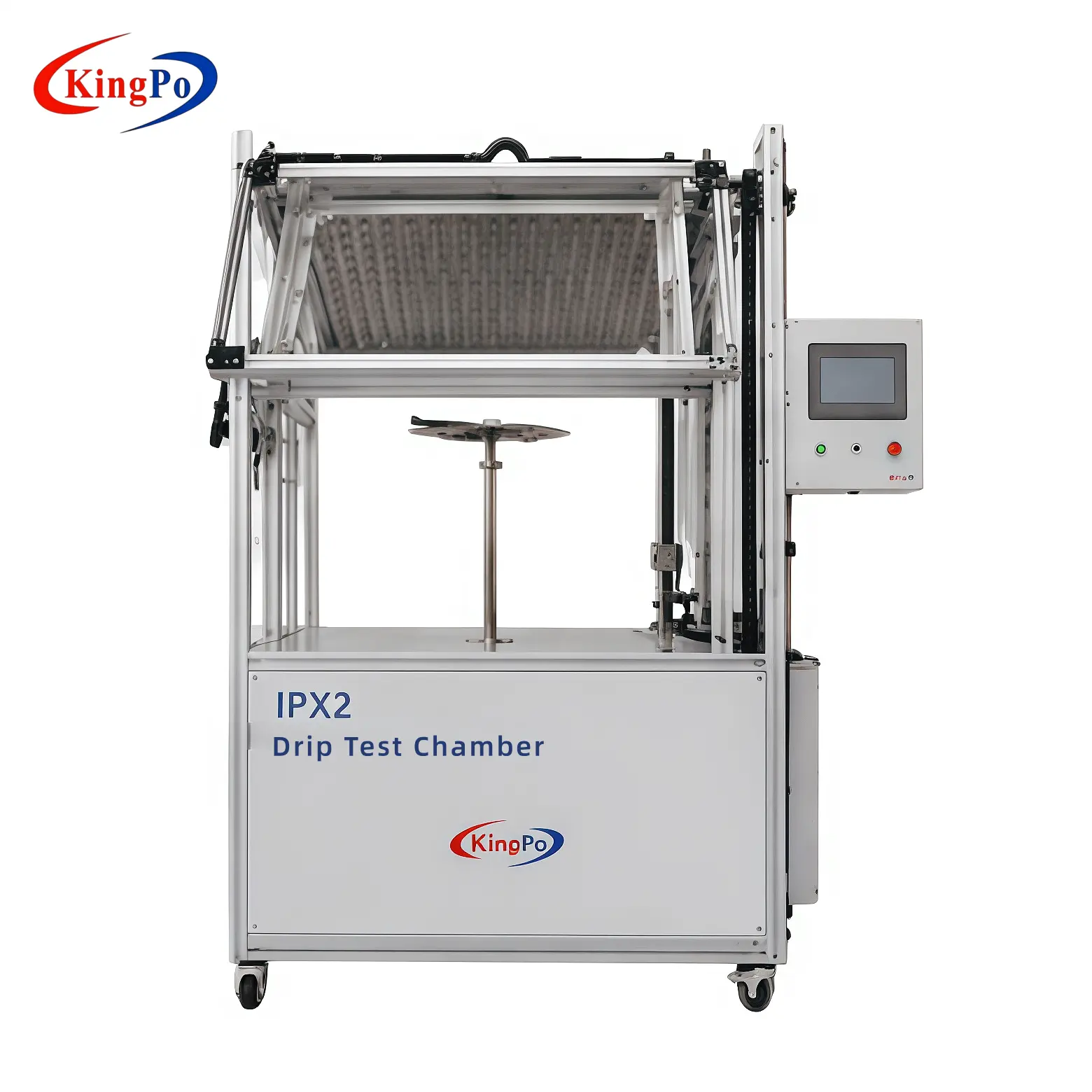
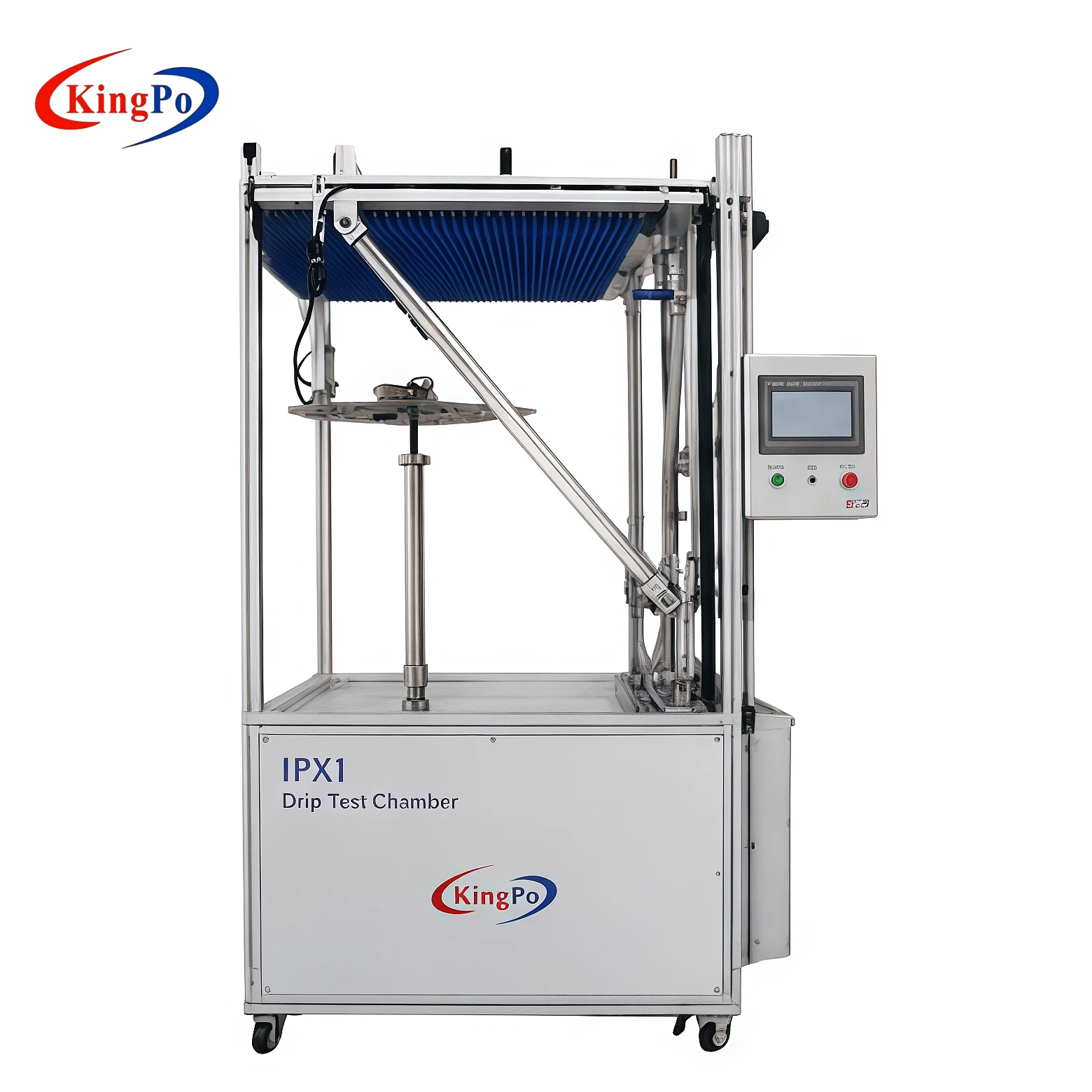
IPX1 & IPX2 Drip Tests
IPX1 Definition & Application
You rely on the IPX1 drip test to evaluate how well your product resists vertical water drops. This test forms the foundation of the IP rating system for water ingress protection. You use IPX1 testing to verify that enclosures prevent harmful water accumulation when exposed to dripping water. Many consumer electronics require this level of protection. You see IPX1 applied to devices such as smartphones, tablets, laptops, and smartwatches. These products often operate in environments where accidental water exposure occurs, making IPX1 essential for safety and reliability. AI-driven analysis now helps you interpret test results faster, ensuring consistent assessment and early detection of vulnerabilities.
-
Smartphones
-
Tablets
-
Laptops
-
Smartwatches
IPX1 Test Conditions
You must follow strict conditions to achieve accurate IPX1 results. The IEC 60529 standard defines the parameters for this test. You expose your product to vertical water drips for a set duration and rate. The test uses a drip hole diameter of 0.4 mm and a hole spacing of 20 mm. You maintain a droplet precipitation rate of 1.0 ± 0.5 mm/min. The table below summarizes the standard conditions for both IPX1 and IPX2 drip tests:
|
Test Type |
Description |
Duration |
Water Rate |
|---|---|---|---|
|
IPX1 |
Vertical Drip Test |
10 minutes |
1 mm/min |
|
IPX2 |
15° Inclined Drip Test |
10 minutes |
1 mm/min |
You ensure that your product receives uniform exposure to water during the test. AI-powered systems can monitor and adjust these parameters automatically, improving repeatability and reducing human error.
IPX1 Equipment
You need specialized equipment to conduct the IPX1 drip test. The setup includes a drip tray designed to deliver water at the specified rate. You place your product on a turntable, which rotates at one revolution per minute. This rotation ensures that all surfaces receive equal exposure to water. The table below outlines the typical equipment used for IPX1 and IPX2 tests:
|
Equipment Type |
Description |
|---|---|
|
Drip Tray |
A specially-designed tray used to collect dripping water during the tests. |
|
Turntable |
Used for the IPX1 test to rotate the unit at one revolution per minute for uniform assessment. |
|
Fixed Position Setup |
Required for the IPX2 test, where the unit is tested in four fixed positions at a 15-degree angle. |
You select equipment that meets IEC standards to ensure reliable results. AI integration in modern test systems allows you to automate rotation speed and water delivery, streamlining the testing process and enhancing accuracy.
IPX1 Procedure
You begin the IPX1 procedure by preparing your product for the test. Place the device on a turntable inside the drip test chamber. Set the turntable to rotate at one revolution per minute. Adjust the drip tray above the product so that water falls vertically onto the enclosure. Use a tray with holes spaced 20 mm apart and a diameter of 0.4 mm. Maintain a water precipitation rate of 1.0 ± 0.5 mm/min. Start the test and let the water drip for ten minutes. Ensure the product rotates continuously during the test. AI-powered systems can monitor the rotation speed and water flow, providing real-time feedback and automatic adjustments. This technology helps you achieve consistent results and reduces manual errors. After the test, remove the product and prepare it for assessment.
Tip: Use automated monitoring to track water distribution and rotation speed. This improves repeatability and accuracy in IP testing.
IPX1 Assessment
You assess the product after completing the IPX1 procedure. Inspect the enclosure for signs of water ingress. Check for any water inside the device that could affect performance or safety. Use visual inspection and functional testing to verify that the product meets the IP rating requirements. If you find water inside, the product fails the test. AI-driven analysis tools can help you detect subtle signs of water penetration and analyze test data quickly. These tools support faster decision-making and improve the reliability of your assessment. Record the results and compare them to the IP rating criteria. You use this information to refine your product design and enhance protection against water.
|
Assessment Step |
Description |
|---|---|
|
Visual Inspection |
Look for water inside the enclosure. |
|
Functional Testing |
Operate the device to check for performance issues caused by water ingress. |
|
Data Analysis |
Use AI tools to interpret test results and identify vulnerabilities. |
|
Compliance Check |
Compare findings to IP rating standards. |
IPX2 Definition & Application
You use the IPX2 test to evaluate your product’s resistance to dripping water at a 15-degree angle. This test simulates conditions where water does not fall vertically but strikes the enclosure from an inclined direction. Many household appliances, lighting fixtures, and industrial controls require IPX2 protection. You apply this test to products that operate in environments where water exposure is likely but not direct. The IPX2 test helps you ensure that your device maintains reliability and safety under these conditions. AI technology can automate the test setup and monitor water distribution, making the process more efficient and accurate. You rely on IPX2 testing to achieve the right IP rating for your product and demonstrate compliance with international standards.
Note: IPX2 testing is essential for products used in kitchens, bathrooms, and outdoor installations. It verifies that your device can withstand water exposure from multiple angles.
IPX2 Test Conditions
You must follow strict conditions to achieve accurate results for the IPX2 test. The IPX2 test simulates dripping water at a 15-degree angle. You expose your product to water for ten minutes in each of four positions. Each position requires the enclosure to be inclined at 15 degrees from its normal operating orientation. You maintain a precipitation rate of 1 mm per minute. The test uses a drip tray with holes spaced 20 mm apart and a diameter of 0.4 mm. You rotate the product to each position, ensuring uniform exposure. AI systems can monitor the precipitation rate and angle, providing real-time adjustments for consistency.
Note: You must ensure the product remains powered and operational during the test. This approach helps you verify the effectiveness of the ip rating under realistic conditions.
|
Condition |
Specification |
|---|---|
|
Inclination Angle |
15 degrees |
|
Number of Positions |
4 |
|
Exposure Duration |
10 minutes per position |
|
Water Precipitation Rate |
1 mm/min |
|
Drip Hole Diameter |
0.4 mm |
|
Hole Spacing |
20 mm |
You use these conditions to validate the ip rating and confirm the product’s resistance to water ingress. AI-driven monitoring ensures you maintain precise parameters throughout the test.
IPX2 Equipment
You need specialized equipment to conduct the IPX2 test. The setup includes a drip tray, a turntable, and an adjustable mounting fixture. The drip tray delivers water at the specified rate. You use a mounting fixture to incline the product at 15 degrees. The turntable allows you to rotate the product to each of the four positions. AI integration enables automated control of the inclination angle and water flow. You rely on sensors to track the precipitation rate and adjust the drip tray as needed.
-
Drip tray with calibrated holes
-
Adjustable mounting fixture for inclination
-
Turntable for position rotation
-
Sensors for monitoring water rate
-
AI-powered control system
You select equipment that meets IEC standards to ensure the ip rating assessment is reliable. AI technology streamlines the process, reducing manual intervention and improving repeatability.
IPX2 Procedure
You begin the IPX2 procedure by preparing your product for the test. Mount the device on the fixture and incline it at 15 degrees. Place the drip tray above the product. Set the precipitation rate to 1 mm per minute. Start the test and expose the product to water for ten minutes in the first position. Rotate the product to the next position and repeat the process. Complete all four positions. AI-powered systems monitor the water rate and inclination, providing real-time feedback and automatic adjustments. You record the results after each position. You use the data to verify the ip rating and identify any vulnerabilities.
Tip: Use AI-driven monitoring to ensure precise control of test parameters. This approach improves the reliability of your ip rating assessment.
You follow this procedure to confirm the product’s resistance to water ingress and validate the ip rating. You rely on accurate data and consistent conditions to achieve meaningful results.
IPX2 Assessment
You need to assess your product after you complete the IPX2 procedure. This step confirms if your device meets the required ip rating for resistance to angled dripping water. You start by performing a visual inspection. You look for any signs of water inside the enclosure. You check all seams, joints, and entry points. You use a flashlight to help you see small droplets or traces of moisture. You must document every observation for your records.
You continue the assessment by conducting functional tests. You power on your device and operate all features. You verify that each function works as intended. You pay close attention to any abnormal behavior. You note if you see flickering displays, unresponsive buttons, or unexpected shutdowns. These issues may indicate water ingress. You compare your results to the ip rating criteria. You must ensure your device performs without failure during and after exposure to water.
You use AI-driven analysis tools to enhance your assessment. AI can process images from your inspection and highlight areas where water may have entered. AI can also analyze test data and identify patterns that suggest weaknesses in your design. You benefit from faster and more accurate results. You reduce the risk of human error in your ip assessment.
You must record your findings in a structured format. The table below helps you organize your assessment:
|
Assessment Step |
Action Required |
Pass Criteria |
|---|---|---|
|
Visual Inspection |
Check for water inside the enclosure |
No water detected |
|
Functional Testing |
Operate all device features |
All functions work as intended |
|
Data Analysis (AI) |
Review AI-generated reports and images |
No signs of water ingress detected |
|
Compliance Check |
Compare results to ip rating requirements |
Meets all ip rating criteria |
You must repeat the assessment for each position tested during the IPX2 procedure. You ensure consistency by following the same steps every time. You use your results to decide if your product passes or fails the ip rating. If you detect water inside the enclosure or see any functional failure, your device does not meet the required ip rating. You must address these issues before you proceed with further testing or production.
You rely on the ip rating to demonstrate compliance with international standards. You show your customers that your product can withstand water exposure from multiple angles. You build trust by providing reliable and safe devices. You use the results from your ip assessment to improve your design and manufacturing process.
Tip: Use AI-powered tools to streamline your ip assessment. You save time and increase the accuracy of your results.
You complete the IPX2 assessment by documenting all findings and actions taken. You keep these records for quality control and certification purposes. You use this information to support your claims about your product’s ip rating and water resistance.
IPX3, IPX4 & IPX4K Spray Tests
IPX3 Definition & Application
You use the IPX3 spray test to determine how well your product resists water sprayed at angles up to 60 degrees from vertical. This test simulates rain exposure, which is common for outdoor electronics, lighting fixtures, and enclosures. You rely on the IPX3 level to verify that your device maintains its ip rating when exposed to challenging weather conditions. Many manufacturers select IPX3 for products installed in gardens, patios, or industrial sites. You ensure your device passes this ip rating to demonstrate compliance with international standards and to build consumer trust.
Note: AI-powered systems now help you automate the IPX3 spray test, improving repeatability and reducing manual errors. You gain faster feedback on product vulnerabilities and optimize designs for better protection.
|
Test Type |
Definition |
Water Application |
Test Duration |
Evaluation |
|---|---|---|---|---|
|
IPX3 |
Water falling as a spray at any angle up to 60° |
Spray nozzle or oscillating tube, 10 liters/min |
5 minutes minimum |
No harmful effects from water ingress |
You select the IPX3 ip rating when your product needs to withstand rain or water spray but does not require full immersion protection. You use this ip rating to assure customers that your device will operate reliably in wet environments.
IPX3 Test Conditions
You must follow strict conditions to achieve accurate IPX3 results. The test requires you to spray water at your product from angles up to 60 degrees. You use either an oscillating tube or a calibrated spray nozzle to deliver water at a rate of 10 liters per minute. You expose your device to water for at least five minutes. You rotate the product or adjust the spray direction to ensure all surfaces receive uniform exposure. AI-driven monitoring systems can track spray angles and water flow, providing real-time adjustments and improving consistency in ip rating assessment.
-
Spray angle: Up to 60 degrees from vertical
-
Water flow rate: 10 liters per minute
-
Exposure duration: Minimum 5 minutes
-
Rotation or adjustment: Ensures uniform coverage
You maintain these conditions to validate the ip rating and confirm your product’s resistance to water ingress. You rely on AI to monitor parameters and automate adjustments, reducing human error and improving testing reliability.
IPX3 Equipment
You need specialized equipment to conduct the IPX3 spray test. The choice depends on your product’s size and shape. You use an oscillating tube for small to medium, symmetrical products. This motorized hoop swings back and forth around your device, ensuring repeatable exposure. For larger or asymmetrical equipment, you use a calibrated spray nozzle. A technician manually sprays the unit, allowing for flexibility in coverage. AI integration enables automated control of spray angles and water flow, streamlining the testing process and enhancing accuracy.
|
Equipment Type |
Best For |
Description |
|---|---|---|
|
Oscillating Tube |
Small to medium, relatively symmetrical products |
A motorized hoop swings back and forth around the product, ensuring repeatability. |
|
Calibrated Spray Nozzle |
Large, asymmetrical, or oblong equipment |
A technician manually sprays the unit using a standardized nozzle, allowing for flexibility. |
You select equipment that meets IEC standards to ensure reliable ip rating results. AI-powered systems can automate spray patterns and monitor water distribution, providing consistent and accurate testing.
Tip: Use AI-driven equipment to improve repeatability and reduce manual intervention during ip rating assessment.
IPX3 Procedure
You start the IPX3 procedure by preparing your product for the spray test. Place your device in the test chamber. Select either an oscillating tube or a calibrated spray nozzle based on your product’s size and shape. Set the spray angle to reach up to 60 degrees from vertical. Adjust the water flow rate to 10 liters per minute. Begin the test by spraying your product for at least five minutes. Rotate the device or adjust the spray direction to ensure all surfaces receive uniform exposure. AI-powered systems monitor spray angles and water flow, providing real-time feedback and automatic adjustments. You rely on these systems to maintain consistent conditions and improve the accuracy of your ip rating assessment.
Tip: Use automated monitoring to track spray patterns and water distribution. This approach reduces manual errors and increases repeatability in ip testing.
You document each step of the procedure. Record the settings used for spray angle, water flow, and exposure duration. You use this information to support your ip rating claims and demonstrate compliance with international standards.
IPX3 Assessment
You assess your product after completing the IPX3 procedure. Begin with a visual inspection. Look for signs of water ingress inside the enclosure. Check all seams, joints, and entry points. Use a flashlight to detect small droplets or traces of moisture. Operate your device to verify that all functions work as intended. If you notice abnormal behavior, such as flickering displays or unresponsive controls, document these issues. Compare your results to the ip rating criteria. AI-driven analysis tools help you process images and test data, highlighting areas where water may have entered. You benefit from faster and more accurate results.
|
Assessment Step |
Action Required |
Pass Criteria |
|---|---|---|
|
Visual Inspection |
Check for water inside the enclosure |
No water detected |
|
Functional Testing |
Operate all device features |
All functions work as intended |
|
Data Analysis (AI) |
Review AI-generated reports and images |
No signs of water ingress detected |
|
Compliance Check |
Compare results to ip rating requirements |
Meets all ip rating criteria |
You record your findings in a structured format. Repeat the assessment for each surface exposed during the IPX3 procedure. If you detect water inside the enclosure or see any functional failure, your device does not meet the required ip rating. Address these issues before proceeding with further testing or production.
Note: AI-powered tools streamline your assessment. You save time and increase the accuracy of your ip rating results.
IPX4 Definition & Application
You use the IPX4 spray test to evaluate your product’s resistance to splashing water from any direction. This test simulates conditions where water strikes the enclosure from multiple angles. Many outdoor electronics, lighting fixtures, and industrial controls require IPX4 protection. You apply this test to products that operate in environments where water exposure is frequent and unpredictable. The IPX4 test helps you ensure that your device maintains reliability and safety under these conditions. AI technology automates the test setup and monitors water distribution, making the process more efficient and accurate. You rely on IPX4 testing to achieve the right ip rating for your product and demonstrate compliance with international standards.
Callout: IPX4 testing is essential for products used in outdoor installations, kitchens, and bathrooms. You verify that your device can withstand splashing water from any direction.
You select the IPX4 ip rating when your product needs to operate reliably in wet environments. You use this ip rating to assure customers that your device will perform safely and consistently.
IPX4 Test Conditions
You must follow precise conditions to achieve accurate results for the IPX4 spray test. The ip rating requires you to expose your product to splashing water from every direction. You use either an oscillating tube or a calibrated spray nozzle to deliver water at a rate of 10 liters per minute. You maintain the spray for at least ten minutes, ensuring that all surfaces receive uniform exposure. You rotate your device or adjust the spray direction to meet the ip rating requirements. AI-powered systems can monitor spray angles and water flow, providing real-time adjustments and improving consistency in ip testing.
Tip: Use AI-driven monitoring to track spray patterns and water distribution. This approach increases repeatability and reduces manual errors during ip testing.
|
Condition |
Specification |
|---|---|
|
Spray Direction |
All directions |
|
Water Flow Rate |
10 liters per minute |
|
Exposure Duration |
Minimum 10 minutes |
|
Rotation/Adjustment |
Ensures uniform coverage |
You must document each parameter to support your ip rating claims and demonstrate compliance with international standards.
IPX4 Equipment
You select equipment that meets IEC standards to ensure reliable ip results. You use an oscillating tube for small to medium products. This motorized hoop swings around your device, delivering water from all directions. For larger or asymmetrical equipment, you use a calibrated spray nozzle. A technician manually sprays the unit, allowing for flexibility in coverage. AI integration enables automated control of spray angles and water flow, streamlining the process and enhancing accuracy in ip rating assessment.
-
Oscillating tube for symmetrical products
-
Calibrated spray nozzle for larger or irregular devices
-
AI-powered control system for real-time monitoring
You rely on sensors to track water flow and spray angles. AI-driven systems automate adjustments, ensuring you meet the ip rating requirements every time.
IPX4 Procedure
You begin the IPX4 procedure by preparing your product for the spray test. Place your device in the test chamber. Choose the appropriate equipment based on size and shape. Set the spray direction to cover all sides. Adjust the water flow rate to 10 liters per minute. Start the test and spray your product for at least ten minutes. Rotate the device or adjust the spray direction to ensure uniform exposure. AI-powered systems monitor spray angles and water flow, providing real-time feedback and automatic adjustments. You rely on these systems to maintain consistent conditions and improve the accuracy of your ip rating assessment.
Note: Document every step of the procedure. Record the settings used for spray direction, water flow, and exposure duration. You use this information to support your ip rating claims and demonstrate compliance.
You complete the procedure by inspecting your device for signs of water ingress. You operate all functions to verify performance. You use AI-driven analysis tools to process images and test data, highlighting areas where water may have entered. You benefit from faster and more accurate results, ensuring your product meets the ip rating requirements.
IPX4 Assessment
You assess your product after completing the IPX4 spray test. Begin with a thorough visual inspection. Look for signs of water ingress inside the enclosure. Examine all seams, joints, and entry points. Use a flashlight to detect small droplets or traces of moisture. Operate your device to verify that all functions work as intended. If you notice abnormal behavior, such as flickering displays or unresponsive controls, document these issues. Compare your results to the ip rating criteria. AI-driven analysis tools help you process images and test data, highlighting areas where water may have entered. You benefit from faster and more accurate results.
|
Assessment Step |
Action Required |
Pass Criteria |
|---|---|---|
|
Visual Inspection |
Check for water inside the enclosure |
No water detected |
|
Functional Testing |
Operate all device features |
All functions work as intended |
|
Data Analysis (AI) |
Review AI-generated reports and images |
No signs of water ingress detected |
|
Compliance Check |
Compare results to ip rating requirements |
Meets all ip rating criteria |
You record your findings in a structured format. Repeat the assessment for each surface exposed during the IPX4 procedure. If you detect water inside the enclosure or see any functional failure, your device does not meet the required ip rating. Address these issues before proceeding with further testing or production.
Tip: AI-powered tools streamline your assessment. You save time and increase the accuracy of your ip rating results.
IPX4K Definition & Application
You use the IPX4K test to evaluate your product’s resistance to splashing water under higher pressure. This test extends the standard IPX4 spray test by increasing the pressure and flow rate. You apply IPX4K to products that require enhanced protection, such as automotive components, industrial controls, and outdoor equipment. The ip rating ensures your device withstands harsh environments where water exposure is frequent and forceful. You rely on IPX4K when your product must operate reliably in demanding conditions. AI technology automates the test setup and monitors water distribution, making the process more efficient and accurate. You achieve consistent results and optimize your design for maximum protection.
Note: IPX4K testing is essential for products used in transportation, heavy machinery, and outdoor installations. You verify that your device can withstand splashing water at higher pressure and maintain its ip rating.
IPX4K Test Conditions
You must follow precise conditions to achieve accurate results for the IPX4K spray test. The ip rating requires you to expose your product to splashing water at increased pressure. You use a calibrated spray nozzle to deliver water at a higher flow rate and pressure than standard IPX4. Maintain the spray for at least ten minutes, ensuring all surfaces receive uniform exposure. Rotate your device or adjust the spray direction to meet the ip rating requirements. AI-powered systems monitor spray angles and water flow, providing real-time adjustments and improving consistency in testing.
-
Spray direction: All directions
-
Water flow rate: Higher than standard IPX4
-
Pressure: Increased for enhanced protection
-
Exposure duration: Minimum 10 minutes
-
Rotation/Adjustment: Ensures uniform coverage
You document each parameter to support your ip rating claims and demonstrate compliance with international standards. AI-driven monitoring ensures you maintain precise conditions throughout the test.
IPX4K Equipment
You need specialized equipment to perform the IPX4K spray test. This equipment must deliver high-pressure water from all directions. You use a calibrated spray nozzle that can handle increased pressure and flow. The nozzle must meet the requirements for the ip rating. You also need a programmable control system. This system adjusts the spray pattern and pressure during the test. Many modern ip test chambers include AI-driven features. These features help you monitor the spray angle, flow rate, and pressure in real time. You can use sensors to track every parameter. AI can alert you if the equipment moves outside the required range for the ip rating.
Here is a table showing the main components you need for IPX4K equipment:
|
Component |
Function |
|---|---|
|
High-pressure spray nozzle |
Delivers water at increased pressure for ip rating |
|
Programmable control system |
Adjusts spray pattern and pressure automatically |
|
Rotating test platform |
Ensures all sides of the product receive water |
|
AI monitoring system |
Tracks parameters and provides real-time feedback |
Tip: Choose equipment with AI integration. This helps you achieve consistent ip results and reduces manual errors.
IPX4K Procedure
You start the IPX4K procedure by placing your product on the rotating platform. Set the programmable control system to the correct spray pattern and pressure for the ip rating. Begin the test by activating the high-pressure spray nozzle. The nozzle must direct water at your product from all directions. The test lasts at least ten minutes. Rotate the product to ensure every surface receives water. The AI monitoring system checks the spray angle, flow rate, and pressure. If any parameter falls outside the ip rating requirements, the system alerts you immediately. You can pause the test, make adjustments, and resume without losing data.
You must document every step of the procedure. Record the settings for spray pressure, flow rate, and duration. Use the AI-generated reports to support your ip rating claims. These reports provide detailed logs and images, making your testing process transparent and reliable.
Note: Always verify that the equipment calibration matches the ip rating standard before you begin testing.
IPX4K Assessment
You assess your product after completing the IPX4K procedure. Start with a visual inspection. Look for any signs of water inside the enclosure. Check all seams, joints, and entry points. Operate your device to confirm that all functions work as intended. If you notice any abnormal behavior, document it. Use the AI analysis tools to review images and test data. AI can highlight areas where water may have entered. Compare your findings to the ip rating criteria. You must ensure your product meets all requirements for the ip rating.
Here is a checklist for your assessment:
-
Visual inspection for water ingress
-
Functional testing of all features
-
Review of AI-generated reports and images
-
Compliance check with ip rating standards
If your product passes every step, you can certify it with the correct ip rating. If you find any failure, you must improve your design and repeat the testing process. You rely on accurate ip assessment to ensure product reliability and safety.
Callout: Use AI-powered tools to speed up your assessment and increase the accuracy of your ip rating results.
IPX5, IPX6 & IPX6K Water Jetting
IPX5 Definition & Application
You use the IPX5 water jetting test to determine how well your product resists moderate water jets. This ip rating is essential for devices that operate outdoors or in environments where rain or spray is common. You rely on IPX5 to certify lighting housings, low-power electronics, and enclosures that must withstand water exposure but do not require protection from high-pressure jets. You select this ip rating for products that need to maintain performance during rain simulation or moderate water spray.
Tip: AI-powered systems help you automate the IPX5 test, ensuring consistent results and reducing manual errors.
Here is a table showing typical products and their descriptions for IPX5, IPX6, and IPX6K:
|
IPX Rating |
Typical Products |
Description |
|---|---|---|
|
IPX5 |
Lighting housings, low-power electronics |
Products exposed to moderate water spray |
|
IPX6 |
Automotive underbody parts, ECUs, sensors, external modules |
Products needing to withstand high-pressure water jets |
|
IPX6K |
High-performance applications |
Products exposed to strong high-velocity water |
You choose the IPX5 ip rating when your product needs general outdoor use and moderate water resistance.
IPX5 Test Conditions
You must follow strict conditions to achieve accurate IPX5 results. The test uses a nozzle with a diameter of 6.3 mm and delivers water at a flow rate of 12.5 liters per minute. You maintain water pressure between 30 and 100 kPa. The spray distance ranges from 2.5 to 3 meters. You expose your product to water jets from all directions for a set duration. You rotate the device to ensure uniform coverage. AI-driven monitoring systems track nozzle position, flow rate, and pressure, providing real-time adjustments and improving consistency in ip rating assessment.
|
Feature |
IPX5 Test Chamber |
|---|---|
|
Nozzle Diameter |
6.3 mm ± 0.1 mm |
|
Flow Rate |
12.5 L/min ± 5 % |
|
Pressure |
30 – 100 kPa |
|
Spray Distance |
2.5 – 3 m |
|
Typical Use |
Electronics, Lighting Enclosures |
|
Purpose |
Rain Simulation |
You document each parameter to support your ip rating claims and demonstrate compliance with international standards.
IPX5 Equipment
You need specialized equipment to conduct the IPX5 water jetting test. You select box-type equipment for small and medium-sized samples. This equipment uses a hose nozzle with adjustable diameter and water pressure. The system is made of SUS304 stainless steel and controlled by a PLC touch screen. You can set the timer from 1 to 9,999 minutes and adjust the turntable speed from 0 to 5 RPM. You can test products with electricity applied during the procedure. For larger samples, you use open-type equipment with flexible nozzle adjustment for all directions. AI integration allows you to automate nozzle movement, water pressure, and test duration, improving repeatability and reducing manual intervention.
|
Equipment |
Core Features |
Key Parameters |
|---|---|---|
|
Box-type IPX5 water jetting test equipment |
Suitable for small and medium-sized samples, automatic water circulation |
SUS304 stainless steel, PLC touch screen, adjustable nozzle, timer, turntable speed, electrical testing |
|
Open-type IPX5 water jetting test equipment |
Suitable for large samples, flexible nozzle adjustment |
Allows testing from all directions |
Callout: Choose equipment with AI monitoring to achieve consistent ip rating results and streamline your testing process.
You rely on precise equipment and AI-driven systems to ensure your product meets the IPX5 ip rating and maintains reliability in real-world conditions.
IPX5 Procedure
You begin the IPX5 procedure by preparing your product for the ip test. Place your device on the turntable inside the ip chamber. Set the nozzle to a diameter of 6.3 mm and adjust the flow rate to 12.5 liters per minute. Position the nozzle at a distance of 2.5 to 3 meters from your product. Rotate the turntable at a speed that ensures every side of your device receives direct exposure. Start the ip test and direct the water jet at your product from all directions. Maintain the pressure between 30 and 100 kPa throughout the procedure. Continue the exposure for at least three minutes per square meter of the enclosure surface, with a minimum total duration of 15 minutes.
AI-powered systems can monitor the nozzle position, flow rate, and pressure in real time. These systems help you maintain precise control over the ip test parameters. You receive alerts if any setting falls outside the required range for the ip rating. This technology reduces manual errors and improves the repeatability of your ip testing.
Tip: Use AI-driven monitoring to automate adjustments during the ip test. This approach ensures you meet the strict requirements for the ip rating.
IPX5 Assessment
You assess your product immediately after the IPX5 procedure. Begin with a visual inspection. Check all seams, joints, and entry points for signs of water ingress. Use a flashlight to detect droplets or moisture inside the enclosure. Operate your device to confirm that all functions work as intended. If you notice any abnormal behavior, such as flickering lights or unresponsive controls, document these issues.
AI analysis tools can process images from your inspection and highlight areas where water may have entered. These tools also analyze test data to identify patterns that suggest weaknesses in your design. You compare your findings to the ip rating criteria. If you detect water inside the enclosure or observe any functional failure, your product does not meet the required ip rating. You must address these issues before proceeding with further ip testing or production.
|
Assessment Step |
Action Required |
Pass Criteria |
|---|---|---|
|
Visual Inspection |
Check for water inside the enclosure |
No water detected |
|
Functional Testing |
Operate all device features |
All functions work as intended |
|
Data Analysis (AI) |
Review AI-generated reports and images |
No signs of water ingress detected |
|
Compliance Check |
Compare results to ip rating requirements |
Meets all ip rating criteria |
Note: Document every observation and test result. This record supports your ip rating claims and helps you improve your product design.
IPX6 Definition & Application
You use the IPX6 test to evaluate your product’s resistance to powerful water jets. This ip rating is essential for devices that operate in harsh outdoor environments or industrial settings. You rely on IPX6 to certify automotive underbody parts, sensors, and external modules that must withstand high-pressure water exposure. The ip rating ensures your product maintains performance even when subjected to strong water jets. Many manufacturers choose IPX6 for equipment installed in areas where cleaning with high-pressure hoses is common.
AI-driven systems streamline the setup and execution of the ip test. These systems monitor every parameter and provide real-time feedback, helping you achieve consistent results. You use the IPX6 ip rating to demonstrate compliance with international standards and to assure customers of your product’s durability.
Callout: Select the IPX6 ip rating when your product must operate reliably in environments with frequent high-pressure water exposure.
IPX6 Test Conditions
You must follow strict conditions to achieve accurate results for the IPX6 test. This ip test uses a powerful jet of water to challenge your product’s enclosure. You set the nozzle diameter to 12.5 mm and maintain a flow rate of 100 liters per minute. The pressure should stay between 100 and 150 kPa. You position the nozzle 2.5 to 3 meters from your product. You expose every side of the device to the jet for at least three minutes per square meter, with a minimum total duration of three minutes. You rotate the product to ensure all surfaces receive direct exposure. These conditions help you verify the ip rating and confirm that your device can withstand harsh environments.
Tip: Use AI-driven monitoring systems to track nozzle position, flow rate, and pressure. This technology provides real-time feedback and ensures you meet every requirement for the ip rating.
|
Parameter |
Specification |
|---|---|
|
Nozzle Diameter |
12.5 mm ± 0.1 mm |
|
Flow Rate |
100 L/min ± 5% |
|
Pressure |
100 – 150 kPa |
|
Spray Distance |
2.5 – 3 m |
|
Exposure Duration |
3 min/m² (min. 3 min total) |
You must document each parameter to support your ip rating claims and demonstrate compliance with international standards.
IPX6 Equipment
You need specialized equipment to perform the IPX6 test. You use a high-pressure jetting system with a 12.5 mm nozzle. The system must allow you to adjust the flow rate and pressure precisely. For small and medium-sized samples, you use a box-type chamber with a programmable turntable. This chamber rotates your product, ensuring every side faces the water jet. For larger products, you use open-type equipment with a flexible hose. You can manually direct the jet to all surfaces. AI integration in modern ip test systems automates nozzle movement, monitors parameters, and records data for later analysis. This approach improves repeatability and reduces manual errors.
-
High-pressure jetting system with adjustable nozzle
-
Programmable turntable for uniform exposure
-
Open-type equipment for large samples
-
AI-powered monitoring and data logging
You select equipment that meets IEC standards to guarantee reliable ip rating results.
IPX6 Procedure
You begin the IPX6 procedure by preparing your product for the ip test. Place the device on the turntable inside the chamber or on a platform for open-type equipment. Set the nozzle to 12.5 mm and adjust the flow rate to 100 liters per minute. Position the nozzle 2.5 to 3 meters from your product. Start the ip test and direct the water jet at your device from all directions. Rotate the turntable or manually move the hose to cover every surface. Maintain the pressure between 100 and 150 kPa throughout the procedure. Continue the exposure for at least three minutes per square meter, with a minimum total duration of three minutes.
AI-powered systems monitor nozzle position, flow rate, and pressure in real time. These systems alert you if any setting falls outside the required range for the ip rating. You document every step and use AI-generated reports to support your ip rating claims. This process ensures your product meets the highest standards for water ingress protection.
Note: Always verify equipment calibration before starting the ip test. Accurate calibration ensures valid results and supports your ip rating certification.
IPX6 Assessment
You need to assess your product after completing the IPX6 procedure. Start with a visual inspection. Examine all seams, joints, and entry points for signs of water ingress. Use a flashlight to check for droplets inside the enclosure. Operate your device to confirm that every function works as intended. If you notice abnormal behavior, document it immediately. AI-powered analysis tools help you review images and test data. These tools highlight areas where water may have entered and identify patterns that suggest weaknesses in your design. Compare your findings to the ip rating criteria. If you detect water inside the enclosure or observe any functional failure, your product does not meet the required ip rating. You must address these issues before proceeding with further ip testing or production.
Tip: Use AI-driven systems to streamline your ip assessment. You save time and increase the accuracy of your results.
Record your findings in a structured format. Repeat the assessment for each surface exposed during the IPX6 procedure. Document every observation and test result. This record supports your ip rating claims and helps you improve your product design. You rely on precise ip assessment to ensure product reliability and safety.
|
Assessment Step |
Action Required |
Pass Criteria |
|---|---|---|
|
Visual Inspection |
Check for water inside the enclosure |
No water detected |
|
Functional Testing |
Operate all device features |
All functions work as intended |
|
Data Analysis (AI) |
Review AI-generated reports and images |
No signs of water ingress detected |
|
Compliance Check |
Compare results to ip rating requirements |
Meets all ip rating criteria |
IPX6K Definition & Application
You use the IPX6K test to evaluate your product’s resistance to extremely powerful water jets. This ip rating is critical for high-performance applications, including automotive components, industrial machinery, and outdoor equipment. You rely on IPX6K when your product must operate reliably in environments where frequent cleaning with high-pressure hoses occurs. The ip rating ensures your device maintains performance even when subjected to strong water jets. Many manufacturers select IPX6K for equipment installed in areas exposed to aggressive cleaning routines or harsh weather conditions.
AI-driven systems play a key role in ip testing for IPX6K. These systems monitor every parameter and provide real-time feedback. You achieve consistent results and optimize your design for maximum protection. You use the IPX6K ip rating to demonstrate compliance with international standards and assure customers of your product’s durability.
Callout: Choose the IPX6K ip rating when your product must withstand extreme water exposure and maintain reliable operation.
IPX6K Test Conditions
You must follow strict conditions to achieve accurate results for the IPX6K test. The ip test uses a high-pressure jet of water to challenge your product’s enclosure. Set the nozzle diameter to 6.3 mm and maintain a flow rate of 75 liters per minute. The pressure should stay between 1000 and 1500 kPa. Position the nozzle 2.5 to 3 meters from your product. Expose every side of the device to the jet for at least three minutes per square meter, with a minimum total duration of three minutes. Rotate the product to ensure all surfaces receive direct exposure. These conditions help you verify the ip rating and confirm that your device can withstand harsh environments.
Note: AI-driven monitoring systems track nozzle position, flow rate, and pressure. This technology provides real-time feedback and ensures you meet every requirement for the ip rating.
|
Parameter |
Specification |
|---|---|
|
Nozzle Diameter |
6.3 mm ± 0.1 mm |
|
Flow Rate |
75 L/min ± 5% |
|
Pressure |
1000 – 1500 kPa |
|
Spray Distance |
2.5 – 3 m |
|
Exposure Duration |
3 min/m² (min. 3 min total) |
You must document each parameter to support your ip rating claims and demonstrate compliance with international standards.
IPX6K Equipment
You need advanced equipment to perform the IPX6K test and achieve a reliable ip rating. The core of your setup is a high-pressure jetting system. This system uses a 6.3 mm nozzle that delivers water at a flow rate of 75 liters per minute. You must ensure the pressure stays between 1000 and 1500 kPa. The equipment should allow you to adjust the nozzle position and spray direction. You use a programmable turntable to rotate your product, exposing every surface to the jet. For larger items, you may use an open platform with a flexible hose. AI-driven controls help you maintain precise parameters during ip testing. Sensors track nozzle distance, pressure, and flow rate. The system alerts you if any value moves outside the required range for the ip rating. You benefit from automated data logging, which supports your compliance documentation.
|
Equipment Component |
Function |
|---|---|
|
High-pressure jet system |
Delivers water at required flow and pressure |
|
6.3 mm nozzle |
Ensures correct spray pattern for ip rating |
|
Programmable turntable |
Rotates product for full exposure |
|
AI monitoring system |
Tracks and adjusts parameters in real time |
|
Data logging module |
Records all ip test data for analysis |
Tip: Choose equipment with AI integration to improve repeatability and reduce manual errors during ip testing.
IPX6K Procedure
You start the IPX6K procedure by placing your product on the programmable turntable or open platform. Set the nozzle to 6.3 mm and adjust the flow rate to 75 liters per minute. Position the nozzle 2.5 to 3 meters from your product. Begin the ip test and direct the high-pressure jet at your device from all directions. Rotate the product to ensure every surface receives water exposure. Maintain the pressure between 1000 and 1500 kPa throughout the procedure. Continue the exposure for at least three minutes per square meter, with a minimum total duration of three minutes. AI-powered systems monitor nozzle position, flow rate, and pressure in real time. If any parameter falls outside the required range for the ip rating, the system alerts you immediately. You can pause the test, make adjustments, and resume without losing data. Document every step and use AI-generated reports to support your ip rating claims.
Note: Always verify equipment calibration before starting the ip test. Accurate calibration ensures valid results and supports your ip rating certification.
IPX6K Assessment
You assess your product after completing the IPX6K procedure. Begin with a visual inspection. Check all seams, joints, and entry points for signs of water ingress. Use a flashlight to detect droplets inside the enclosure. Operate your device to confirm that every function works as intended. If you notice abnormal behavior, document it immediately. AI-powered analysis tools help you review images and test data. These tools highlight areas where water may have entered and identify patterns that suggest weaknesses in your design. Compare your findings to the ip rating criteria. If you detect water inside the enclosure or observe any functional failure, your product does not meet the required ip rating. You must address these issues before proceeding with further ip testing or production.
-
Visual inspection for water ingress
-
Functional testing of all features
-
Review of AI-generated reports and images
-
Compliance check with ip rating standards
You rely on precise ip assessment to ensure product reliability and safety. Document every observation and test result. This record supports your ip rating claims and helps you improve your product design.
IPX7 Immersion Test
IPX7 Definition & Application
You use the IPX7 immersion test to evaluate how well your product withstands temporary submersion in water. This test is a critical part of the ip rating system. It helps you confirm that your device can survive accidental drops into water or short-term flooding. The ipx-7 rating is essential for products that must operate reliably in wet or unpredictable environments.
You see the IPX7 test applied across many industries. In consumer electronics, you test smartphones, smartwatches, and wireless earbuds. In the automotive sector, you assess electrical and electronic components that may face water exposure. You also use this ip rating for luminaires, outdoor lighting, industrial sensors, controllers, and portable equipment. These applications demand robust protection, and the IPX7 test gives you confidence in your product’s durability.
-
Consumer electronics and electrical devices
-
Automotive electrical and electronic components
-
Luminaires and outdoor lighting products
-
Industrial sensors, controllers, and enclosures
-
Portable and outdoor equipment
AI-driven systems now play a key role in ip testing. You benefit from automated monitoring and data analysis, which help you detect vulnerabilities and improve product design.
IPX7 Test Conditions
You must follow strict conditions to achieve a valid ip rating during the IPX7 immersion test. The IEC 60529 standard defines these requirements. You immerse your product in water at a depth of up to 1 meter. The test lasts for 30 minutes. Your device must not allow harmful water ingress that affects safety or normal operation. The test uses static immersion, so you do not move the product during the process.
|
Parameter |
Specification |
|---|---|
|
Immersion Depth |
Up to 1 meter |
|
Test Duration |
30 minutes |
|
Water Ingress |
No harmful ingress affecting safety |
|
Test Conditions |
Static immersion |
-
Temporary immersion in water
-
A water depth of up to 1 meter
-
A test duration of 30 minutes
-
No harmful water ingress affecting safety or normal operation
AI-powered monitoring systems help you maintain precise test conditions. You receive real-time alerts if any parameter falls outside the required range for the ip rating.
IPX7 Equipment
You need specialized equipment to perform the IPX7 immersion test. The core of your setup is a water immersion tank designed to reach a depth of 1 meter. This tank must allow you to position the specimen so its highest point sits at least 0.15 meters below the water surface. You use equipment constructed from 304 stainless steel for durability and reliability. The IPX7 waterproof test chamber is essential for validating the ingress protection ratings of electrical enclosures during temporary immersion. You ensure the equipment meets IEC60529 standards for accurate and repeatable results.
AI integration in modern ip test chambers allows you to automate water level control, timing, and data collection. This technology streamlines your testing process and increases the reliability of your ip rating assessments.
Tip: Always verify that your immersion tank and control systems meet the latest ip standards before starting any test.
IPX7 Procedure
You must follow a precise procedure to achieve a valid ip rating for your product. Start by preparing your device for the ip test. Clean the enclosure and remove any dirt or debris. This step ensures that nothing interferes with the ip assessment. Place your product in the ipx7 immersion tank. Make sure the highest point of your device sits at least 0.15 meters below the water surface. The lowest point should be at least 1 meter below the surface. These measurements help you meet the strict requirements for the ip rating.
Set the water temperature in the tank. The temperature should not differ from your product’s temperature by more than 5°C. This step prevents pressure changes that could affect the ip results. Use sensors to monitor the temperature. Many modern ip test chambers use AI to control and adjust the temperature automatically. This technology helps you maintain consistent conditions during ip testing.
Begin the immersion by lowering your device into the tank. Start the timer for 30 minutes. Do not move the product during the test. The ipx7 procedure requires static immersion. You must keep the device powered off unless the ip rating demands operation during the test. If your product must operate, use remote controls to avoid disturbing the water. AI systems can monitor the immersion depth and duration. These systems alert you if any parameter moves outside the required range for the ip rating.
During the test, observe the device through the tank’s viewing window. Look for bubbles or signs of air escaping. These signs may indicate a leak in the enclosure. Record your observations. AI-powered cameras can capture images and video for later review. This data supports your ip rating claims and helps you improve your design.
After 30 minutes, remove your product from the tank. Let it drain for a few minutes. Do not shake or tilt the device. This step prevents water from entering the enclosure after the test. Dry the exterior with a clean cloth. Prepare for the next phase of ip assessment.
Tip: Use AI-driven monitoring and data collection to ensure every step of the ipx7 procedure meets the latest standards. This approach increases the reliability of your ip rating and reduces manual errors.
You must document every detail of the procedure. Record the immersion depth, temperature, duration, and any observations. Use tables or checklists to organize your data. This documentation supports your ip rating certification and helps you pass audits or inspections.
|
Step |
Action |
AI Role |
|---|---|---|
|
Preparation |
Clean and inspect device |
None |
|
Placement |
Position device in tank |
Depth sensors, AI |
|
Temperature Control |
Set and monitor water temperature |
AI adjustment |
|
Immersion |
Lower device, start timer |
AI timing, monitoring |
|
Observation |
Watch for leaks, record data |
AI cameras, analysis |
|
Removal |
Take out device, drain, dry |
None |
|
Documentation |
Record all parameters and results |
AI-generated reports |
You follow this procedure to ensure your product achieves the correct ip rating and meets international standards for water ingress protection.
IPX8 Immersion Test
IPX8 Definition & Application
You use the IPX8 immersion test to evaluate how your product withstands continuous submersion in water at depths greater than 1 meter. This test goes beyond the basic requirements of the IPX7 standard. You rely on the IPX8 ip rating when your device must operate reliably in underwater environments for extended periods. Many manufacturers specify this ip rating for products such as underwater cameras, marine sensors, submersible pumps, and advanced wearables. You select the IPX8 ip rating when you need to guarantee performance at depths that exceed the limits of standard ip tests.
You see the main difference between IPX7 and IPX8 in the depth and duration of immersion. The IPX8 ip rating allows you to define the exact conditions based on your product’s intended use. You can set the depth, pressure, and exposure time according to your application. This flexibility makes the IPX8 ip rating ideal for specialized equipment that must survive harsh underwater conditions.
Here is a comparison of IPX7 and IPX8 immersion standards:
|
Testing Parameter |
IPX7 Standard |
IPX8 Standard |
|---|---|---|
|
Minimum Depth |
1 meter |
Manufacturer specified (typically >1 meter) |
|
Maximum Depth |
1 meter |
Up to 50 meters or more |
|
Duration |
30 minutes |
Manufacturer specified (typically ≥1 hour) |
|
Pressure Range |
~0.1 bar |
Up to 5 bars or higher |
IPX8 Test Conditions
You must follow strict test conditions to achieve a valid IPX8 ip rating. The IPX8 test evaluates your product’s protection against continuous immersion under conditions you specify. You typically set the immersion depth to exceed 1 meter. In industrial applications, you often test at depths ranging from 1.5 meters to 50 meters. You may require exposure periods from one hour to continuous operation, depending on your product’s use case.
-
You define the immersion depth, often between 1.5 and 50 meters.
-
You set the exposure period, which can range from one hour to continuous use.
-
You specify the pressure, which may reach up to 5 bars or higher.
Test equipment simulates the hydrostatic pressure experienced at these depths. You use a pressure-controlled chamber to reproduce the conditions your product will face in real-world underwater environments. AI systems help you monitor and adjust the pressure, depth, and duration automatically. This technology ensures you meet every requirement for the ip rating and reduces the risk of human error.
IPX8 Equipment
You need advanced equipment to perform the IPX8 immersion test and achieve a reliable ip rating. The core of your setup is a programmable pressure chamber. This chamber allows you to simulate water depths far beyond what standard tanks can provide. You can set the chamber to reach pressures equivalent to 10, 20, or even 50 meters of water. The equipment must include precise controls for pressure, temperature, and duration. You use sensors to monitor every parameter in real time.
AI integration plays a key role in modern ip testing. AI-powered systems automate the adjustment of pressure and temperature, track test progress, and generate detailed reports. You benefit from consistent results and faster identification of potential weaknesses in your product design. You rely on this technology to ensure your ip rating assessments meet international standards and customer expectations.
Tip: Choose equipment with AI-driven monitoring and data logging. This approach improves repeatability and supports your ip rating certification process.
IPX8 Procedure
You must follow a precise procedure to achieve a valid ip rating for your product. Start by preparing your device for the ip test. Clean the enclosure and inspect it for any visible defects. This step ensures that nothing interferes with the ip assessment. Place your product inside the programmable pressure chamber. Set the chamber to the specific depth and pressure required for your ip rating. You must confirm that the chamber simulates the exact conditions your product will face during real-world use.
You need to monitor the temperature inside the chamber. The temperature should not differ from your product’s temperature by more than 5°C. This control prevents pressure changes that could affect the ip results. Use sensors to track the temperature. Many modern ip test chambers use AI to adjust and maintain the temperature automatically. This technology helps you keep consistent conditions during ip testing.
Begin the immersion by starting the pressure cycle. Lower your device into the chamber and increase the pressure to match the required depth for your ip rating. Start the timer for the exposure period you have specified. Do not move the product during the test. The ipx8 procedure requires static immersion. You must keep the device powered off unless the ip rating demands operation during the test. If your product must operate, use remote controls to avoid disturbing the water. AI systems can monitor the immersion depth, pressure, and duration. These systems alert you if any parameter moves outside the required range for the ip rating.
During the test, observe the device through the chamber’s viewing window. Look for bubbles or signs of air escaping. These signs may indicate a leak in the enclosure. Record your observations. AI-powered cameras can capture images and video for later review. This data supports your ip rating claims and helps you improve your design.
After the exposure period, remove your product from the chamber. Let it drain for a few minutes. Do not shake or tilt the device. This step prevents water from entering the enclosure after the test. Dry the exterior with a clean cloth. Prepare for the next phase of ip assessment.
Tip: Use AI-driven monitoring and data collection to ensure every step of the ipx8 procedure meets the latest standards. This approach increases the reliability of your ip rating and reduces manual errors.
You must document every detail of the procedure. Record the immersion depth, pressure, temperature, duration, and any observations. Use tables or checklists to organize your data. This documentation supports your ip rating certification and helps you pass audits or inspections.
|
Step |
Action |
AI Role |
|---|---|---|
|
Preparation |
Clean and inspect device |
None |
|
Placement |
Position device in chamber |
Depth sensors, AI |
|
Temperature Control |
Set and monitor chamber temperature |
AI adjustment |
|
Immersion |
Start pressure cycle, begin timer |
AI timing, monitoring |
|
Observation |
Watch for leaks, record data |
AI cameras, analysis |
|
Removal |
Take out device, drain, dry |
None |
|
Documentation |
Record all parameters and results |
AI-generated reports |
You follow this procedure to ensure your product achieves the correct ip rating and meets international standards for water ingress protection.
IPX9 & IPX9K High Pressure Tests
IPX9/9K Definition & Application
You need to understand the IPX9 and IPX9K tests if you want to achieve the highest level of ip rating for your products. These tests push your device to the limit by exposing it to high-pressure, high-temperature water jets. You use the IPX9 test for general industrial and commercial products. You select the IPX9K test when you work with automotive or heavy-duty equipment that must survive extreme cleaning routines. The ip rating you achieve here demonstrates that your product can withstand the harshest environments. You see IPX9 and IPX9K applied to outdoor control panels, vehicle electronics, food processing machinery, and public safety equipment. You rely on these ip ratings to show your customers that your device will not fail when exposed to aggressive water jets. AI-driven systems now help you automate the ip testing process, making it easier to detect weak points and improve your design.
Tip: Choose IPX9K if your product will face high-pressure cleaning in automotive or industrial settings.
IPX9/9K Test Conditions
You must follow strict test conditions to achieve a valid ip rating at the IPX9 or IPX9K level. The test uses a high-pressure nozzle that sprays water at your product from multiple angles. You set the water temperature to 80°C. The nozzle delivers water at a pressure of 8,000 to 10,000 kPa. You rotate your product on a turntable to ensure every surface receives direct exposure. The test lasts for two minutes per position, with four positions in total. You must keep the distance between the nozzle and your product at 100 to 150 millimeters. These conditions help you confirm that your device meets the strict requirements for the highest ip rating.
|
Parameter |
Specification |
|---|---|
|
Water Temperature |
80°C |
|
Pressure |
8,000 – 10,000 kPa |
|
Distance |
100 – 150 mm |
|
Duration |
2 min per position (4 total) |
|
Rotation |
Yes, for full coverage |
AI-powered monitoring systems track every parameter during ip testing. You receive real-time alerts if any value falls outside the required range. This technology helps you maintain consistency and reliability in your ip rating process.
IPX9/9K Equipment
You need advanced equipment to perform IPX9 and IPX9K tests and achieve a reliable ip rating. The core of your setup is a high-pressure spray system with a precision nozzle. You use a programmable turntable to rotate your product during the test. The system must allow you to adjust the water temperature, pressure, and spray angle. Sensors monitor every parameter in real time. AI integration automates the adjustment of settings and records all data for later review. You benefit from consistent results and faster identification of weak points in your product. You rely on this equipment to ensure your ip rating meets international standards.
-
High-pressure spray system with precision nozzle
-
Programmable turntable for rotation
-
Real-time sensors for temperature and pressure
-
AI-driven controls for automation and data logging
Note: Always verify that your equipment calibration matches the latest ip standards before you begin testing.
IPX9/9K Procedure
You start the IPX9/9K procedure by preparing your product for the ip test. Place your device on the programmable turntable inside the high-pressure spray chamber. Set the nozzle to deliver water at a temperature of 80°C and a pressure between 8,000 and 10,000 kPa. Adjust the distance so the nozzle sits 100 to 150 millimeters from your product. Begin the ip test by activating the spray system. Rotate your product to expose each surface to the water jet. You must test four positions, spending two minutes on each. The turntable ensures uniform exposure and helps you meet the ip rating requirements.
AI-powered controls monitor every parameter during the ip test. Sensors track water temperature, pressure, and nozzle position. If any value moves outside the required range for the ip rating, the system alerts you immediately. You can pause the ip test, make adjustments, and resume without losing data. This technology reduces manual errors and improves repeatability. You rely on AI to automate timing and record every step of the ip procedure.
You document the settings for water temperature, pressure, spray duration, and rotation speed. Use the AI-generated reports to support your ip rating claims. These reports provide detailed logs and images, making your ip testing process transparent and reliable. You must verify equipment calibration before starting the ip test. Accurate calibration ensures valid results and supports your ip rating certification.
Tip: Use AI-driven monitoring to automate adjustments during the ip test. This approach helps you achieve consistent ip rating results and streamlines your testing process.
|
Step |
Action |
AI Role |
|---|---|---|
|
Preparation |
Place device on turntable |
None |
|
Parameter Setup |
Set nozzle, temperature, pressure |
AI sensors |
|
Spray Activation |
Start high-pressure water jet |
AI timing, monitoring |
|
Rotation |
Expose all surfaces |
AI turntable control |
|
Adjustment |
Pause and correct parameters if needed |
AI alerts |
|
Documentation |
Record all settings and results |
AI-generated reports |
IPX9/9K Assessment
You assess your product after completing the IPX9/9K procedure. Begin with a visual inspection. Check all seams, joints, and entry points for signs of water ingress. Use a flashlight to detect droplets inside the enclosure. Operate your device to confirm that every function works as intended. If you notice abnormal behavior, document it immediately.
AI-powered analysis tools help you review images and test data. These tools highlight areas where water may have entered and identify patterns that suggest weaknesses in your design. Compare your findings to the ip rating criteria. If you detect water inside the enclosure or observe any functional failure, your product does not meet the required ip rating. You must address these issues before proceeding with further ip testing or production.
You record your findings in a structured format. Repeat the assessment for each surface exposed during the ip test. Document every observation and test result. This record supports your ip rating claims and helps you improve your product design. You rely on precise ip assessment to ensure product reliability and safety.
Callout: Use AI-powered tools to speed up your assessment and increase the accuracy of your ip rating results.
|
Assessment Step |
Action Required |
Pass Criteria |
|---|---|---|
|
Visual Inspection |
Check for water inside the enclosure |
No water detected |
|
Functional Testing |
Operate all device features |
All functions work as intended |
|
Data Analysis (AI) |
Review AI-generated reports and images |
No signs of water ingress detected |
|
Compliance Check |
Compare results to ip rating requirements |
Meets all ip rating criteria |
Ingress Protection Equipment Selection
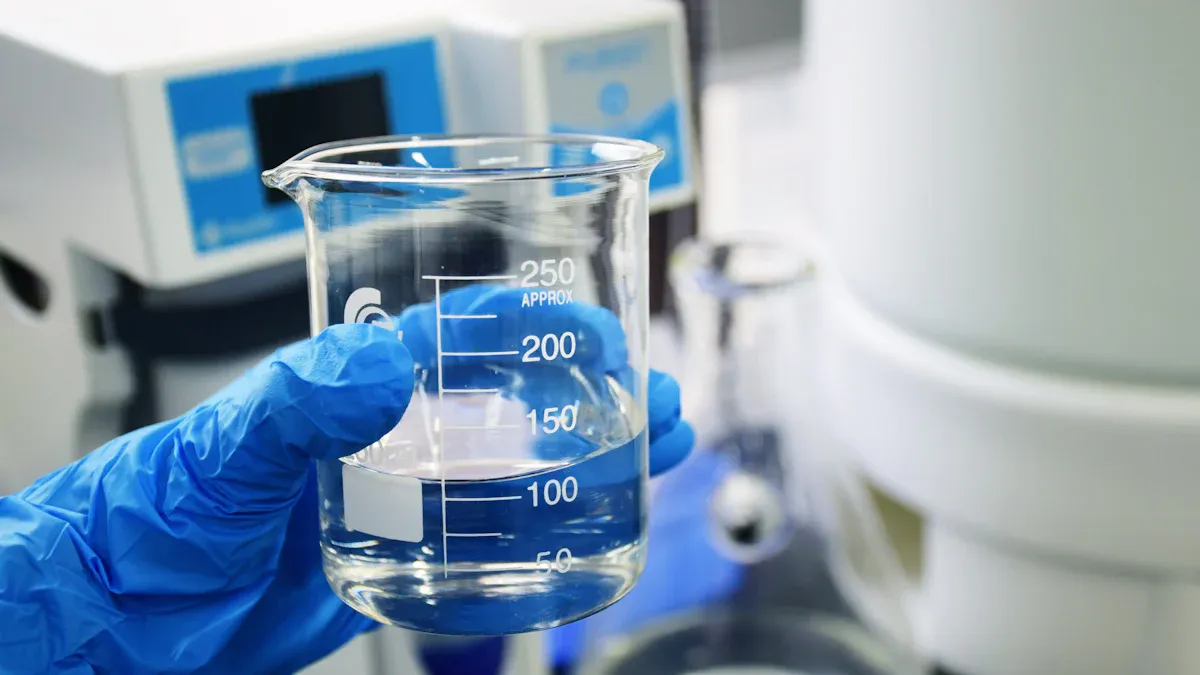
Selecting the right equipment for water ingress protection testing is essential for achieving accurate and repeatable results. You must match your test system to your product’s ip rating requirements, size, and application environment. The right choice ensures you meet international standards and deliver reliable waterproof protection. AI-driven features now play a critical role in automating test procedures, monitoring parameters, and generating reports. This technology helps you reduce errors and improve efficiency in every stage of ingress protection.
Standard vs. Custom Equipment
You face a choice between standard and custom equipment when planning your water ingress protection testing. Standard systems offer predefined configurations that suit common ip rating levels and product types. These units often include oscillating tubes, immersion tanks, or jet nozzles designed for specific protection levels. You benefit from quick setup and straightforward operation. Standard equipment works well for routine ip rating assessments of consumer electronics, lighting, and small enclosures.
Custom equipment becomes necessary when your product has unique dimensions, shapes, or functional requirements. You may need specialized fixtures, programmable spray patterns, or advanced data logging. Custom solutions allow you to test large industrial panels, automotive assemblies, or products with complex geometries. KINGPO engineers collaborate with you to design systems that address your exact needs. AI integration in custom setups enables real-time adjustment of test parameters and instant analysis of results. You gain flexibility and confidence that your water ingress protection testing matches your product’s intended environment.
Tip: Evaluate your product’s size, shape, and application before choosing between standard and custom equipment. Consider future testing needs and the potential for new ip rating requirements.
|
Equipment Type |
Best For |
Key Features |
|---|---|---|
|
Standard |
Routine ip rating tests, common products |
Predefined settings, easy operation, fast deployment |
|
Custom |
Unique shapes, large items, special functions |
Tailored fixtures, programmable controls, AI-driven monitoring |
Multi-Level IPX Test Systems
You often need to test products at multiple ip rating levels. Multi-level IPX test systems provide a single platform for conducting a range of water ingress protection testing procedures. These systems combine drip trays, spray nozzles, immersion tanks, and high-pressure jets in one integrated unit. You can switch between ip rating levels without changing equipment. This approach saves time and reduces the risk of setup errors.
AI-powered multi-level systems automate test sequencing, parameter adjustments, and data collection. You set your desired protection levels, and the system configures itself for each test. Sensors monitor water flow, pressure, and temperature, ensuring every test meets the required ip rating. Automated reporting tools generate compliance documentation for audits and certifications. You improve throughput and consistency, especially when testing large batches or diverse product lines.
-
Test multiple ip rating levels with one system
-
Automate test setup and sequencing
-
Use AI for real-time monitoring and reporting
-
Reduce downtime and manual intervention
Callout: Multi-level IPX test systems are ideal for manufacturers who need to validate a wide range of products or adapt quickly to new protection rating standards.
Custom Solutions for Unique Needs
You may encounter products that require specialized water ingress protection testing beyond standard or multi-level systems. Custom solutions address unique challenges such as oversized enclosures, irregular shapes, or demanding environmental simulations. KINGPO’s engineering team works with you to develop test chambers, fixtures, and control systems tailored to your specifications. You can request features like programmable spray angles, variable immersion depths, or synchronized electrical testing during water exposure.
AI integration in custom solutions provides advanced capabilities. You can use machine learning to analyze test data, predict failure points, and optimize product design. Real-time feedback allows you to adjust test parameters instantly, ensuring accurate results for every ip rating. Custom solutions also support remote monitoring and automated report generation, which streamlines your workflow and enhances traceability.
Note: Custom solutions ensure your water ingress protection testing aligns with your product’s real-world environment and performance expectations.
|
Custom Solution Feature |
Benefit |
|---|---|
|
Programmable spray patterns |
Simulate real-world water exposure |
|
Variable immersion depths |
Test at different ip rating levels |
|
AI-driven analysis |
Identify vulnerabilities and improve design |
|
Remote monitoring |
Manage tests from anywhere |
You ensure product reliability and compliance by selecting the right ingress protection equipment. You leverage KINGPO’s expertise and AI-driven technology to meet every ip rating challenge, from standard tests to the most complex custom requirements.
IP Testing for Product Reliability
Best Practices
You achieve strong product reliability by following best practices for ip testing. Start by defining the correct ip rating for your product. You must consider the environment and the level of water exposure your device will face. Use standardized procedures for each ip rating. You should calibrate your equipment before every test. AI-driven systems help you monitor parameters and adjust settings in real time. This technology increases accuracy and reduces manual errors. Document every step of your ip process. Keep detailed records of test conditions, results, and any adjustments. You improve your workflow by training your team on the latest ip standards and AI tools. Regular reviews of your ip testing process help you identify areas for improvement.
-
Define the required ip rating for each product.
-
Calibrate equipment before every test.
-
Use AI to monitor and adjust test parameters.
-
Document all procedures and results.
-
Train your team on ip standards and AI integration.
Tip: Consistent documentation and AI support make your ip testing more reliable and efficient.
Common Pitfalls
You may encounter several pitfalls during ip testing. One common mistake is selecting the wrong ip rating for your product. This error can lead to insufficient protection or unnecessary costs. Incomplete calibration of equipment often causes inaccurate results. You risk failing to detect water ingress if you do not inspect all enclosure points after each test. Relying solely on manual observation increases the chance of missing subtle signs of failure. Ignoring the benefits of AI in ip testing can slow down your process and reduce accuracy. You should avoid skipping documentation, as missing records make it difficult to prove compliance or trace issues.
|
Pitfall |
Impact on Reliability |
|---|---|
|
Wrong ip rating selection |
Inadequate protection |
|
Poor equipment calibration |
Unreliable test results |
|
Incomplete inspection |
Missed water ingress |
|
Manual-only observation |
Lower detection accuracy |
|
Lack of documentation |
Compliance challenges |
Note: You can prevent most pitfalls by combining AI technology with thorough training and strict adherence to ip procedures.
KINGPO Support
You can rely on KINGPO for expert support throughout your ip testing journey. KINGPO provides advanced equipment for every ip rating, from basic drip tests to high-pressure water jetting. You benefit from AI-powered features that automate test sequences, monitor parameters, and generate detailed reports. KINGPO’s team helps you select the right ip rating for your application and guides you through setup and calibration. You receive training on both standard and custom ip solutions. If you face unique challenges, KINGPO engineers work with you to design tailored systems that meet your specific protection needs. You gain peace of mind knowing your products meet global standards for water ingress protection and reliability.
Callout: KINGPO’s AI-driven solutions and expert guidance help you achieve accurate ip results and maintain product reliability in any environment.
You ensure product reliability when you choose the right IPX testing and equipment. Proper assessment helps you prevent failures and meet industry standards. KINGPO provides advanced solutions with AI-driven features that streamline your testing process. You gain accurate results and save time.
Tip: Start by reviewing your current testing setup. Contact KINGPO for expert guidance and take the next step toward comprehensive ingress protection.
FAQ
What does an IPX rating mean for my product?
You use an IPX rating to show how well your product resists water ingress. The higher the number, the greater the protection. You can assure customers of durability and safety by achieving the right rating.
How does AI improve water ingress protection testing?
You benefit from AI by automating test procedures, monitoring parameters, and analyzing results. AI helps you detect vulnerabilities faster and ensures consistent, accurate testing for every IPX level.
Do I need custom equipment for unique products?
You may need custom equipment if your product has an unusual shape, size, or function. KINGPO engineers can design solutions that fit your requirements. AI integration allows you to adjust tests and analyze data efficiently.
How often should I calibrate my IPX test equipment?
You should calibrate your equipment before each test cycle. Regular calibration ensures accurate results and compliance with international standards. AI-powered systems can remind you and automate calibration checks.
Can I test multiple IPX levels with one system?
You can use multi-level IPX test systems to perform several tests on one platform. These systems save time and reduce errors. AI automates test sequencing and parameter adjustments for reliable results.
What happens if my product fails an IPX test?
You must review the test data, identify weak points, and improve your design. AI tools help you analyze failures and suggest enhancements. You should retest after making changes to ensure compliance.
Why is documentation important in IPX testing?
You need thorough documentation to prove compliance, trace issues, and support certification. AI-generated reports streamline recordkeeping and help you maintain a clear audit trail.
Which industries require IPX testing?
You see IPX testing in electronics, automotive, lighting, industrial controls, and consumer goods. Any product exposed to water or harsh environments benefits from proper ingress protection testing.