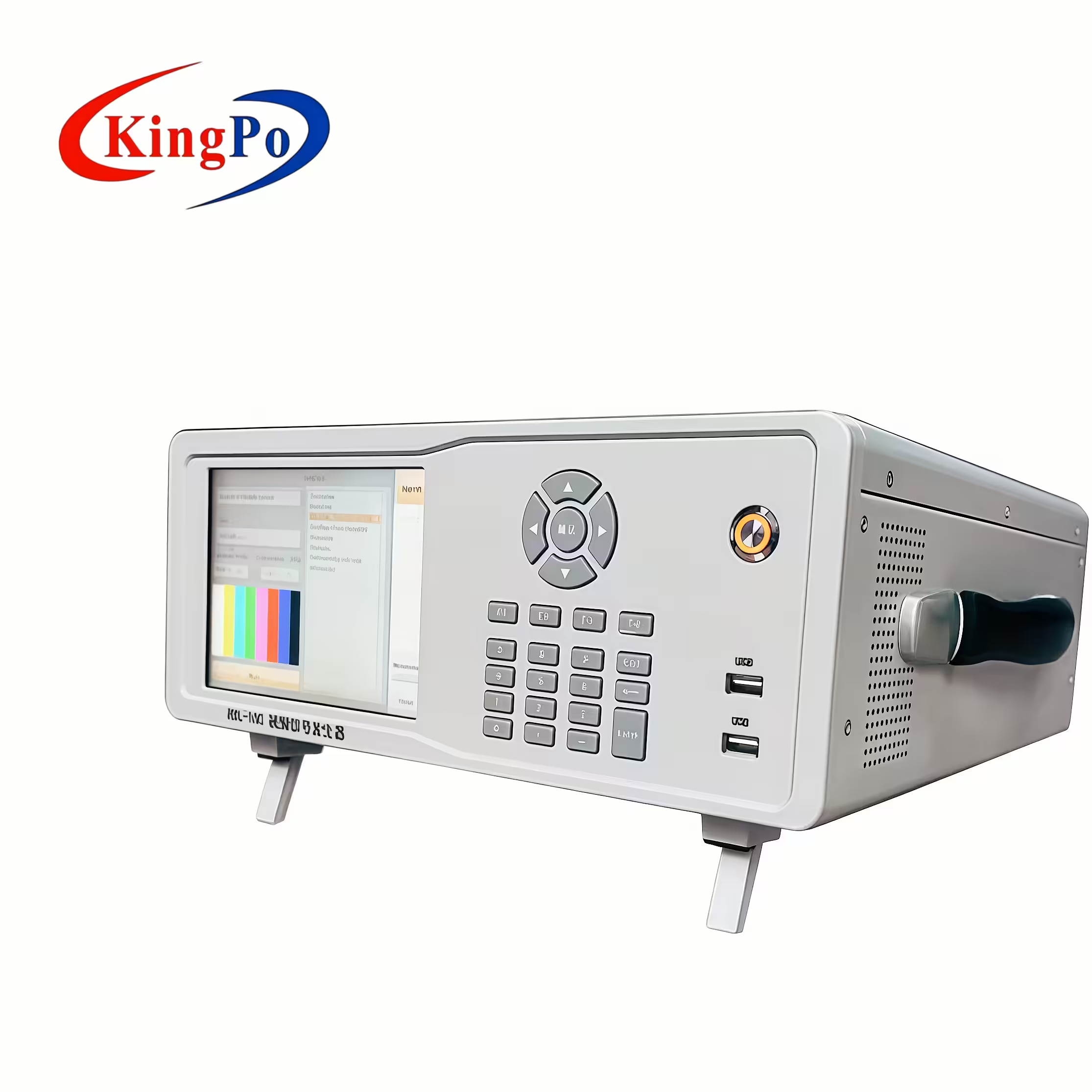
You use a Video Signal Generator to produce specific video and television waveforms for testing and measuring display systems. This device outputs synchronization signals, such as horizontal and vertical sync pulses, and includes colorburst signals for composite formats like NTSC and PAL. In the AV and IT industries, you rely on these generators to verify color accuracy and performance, ensuring compliance with international standards like IEC 62368-1. The Three Vertical Bar Signal serves as a crucial tool for checking color reproduction and safety.
Key Takeaways
-
A Video Signal Generator creates precise video signals for testing display devices, ensuring color accuracy and performance.
-
You can use these generators to simulate real-world video conditions, helping to evaluate brightness, resolution, and compliance with standards.
-
The Three Vertical Bar Signal is essential for checking color reproduction and brightness uniformity during compliance testing.
-
Video Signal Generators support various output formats, including HDMI and CVBS, making them versatile for both modern and legacy systems.
-
Regular calibration with a signal generator helps maintain display quality and reduces the risk of defects in production.
-
Choose a generator that matches your testing needs, focusing on features like resolution support, user interface, and portability.
-
Using automated measurement sessions with a signal generator saves time and minimizes errors during calibration.
-
Reliable support and compliance with international standards, like IEC 62368-1, ensure your testing process remains efficient and effective.
Video Signal Generator Basics
What Is a Video Signal Generator
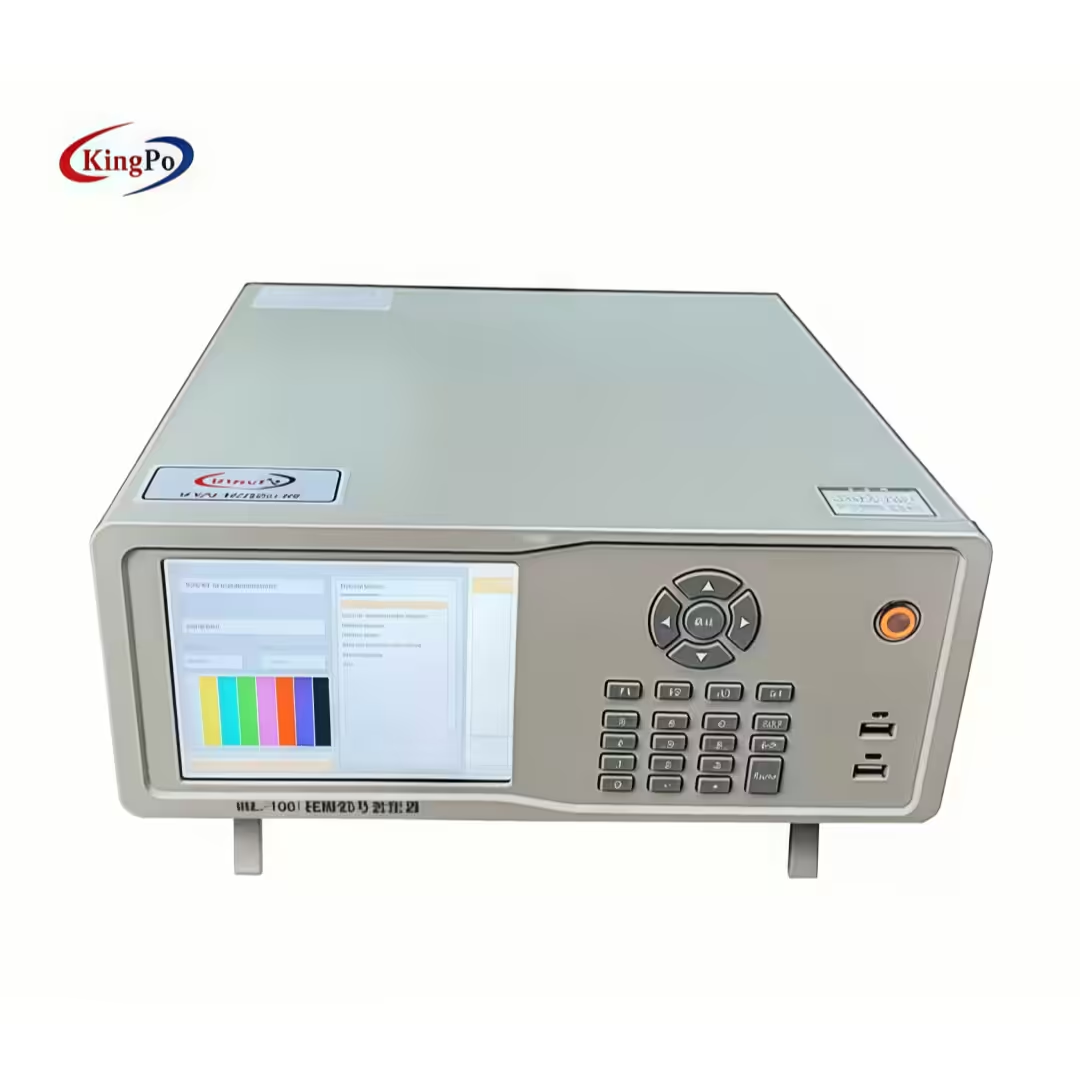
You use a Video Signal Generator to create precise video signals for testing and measuring display devices. This tool produces waveforms and patterns that help you evaluate the performance of screens, projectors, and other video equipment. You rely on these generators to simulate real-world video input conditions, which allows you to check color accuracy, brightness, and resolution. Devices like the RDL-100 provide standard RGB bars and classic test patterns, making them essential for verifying compliance with IEC 62368-1 safety and performance standards. Recent trends show that you need generators capable of handling high-definition, 4K, and even 8K content, as well as supporting advanced features like HDR and VR.
Main Functions
You depend on a Video Signal Generator for several core functions in AV and IT environments:
-
Generate alternating current (AC) signals at specific frequencies and amplitudes for testing circuits.
-
Adjust and maintain signal output at standard levels using built-in output meters.
-
Connect output test signals directly into circuits to evaluate performance.
-
Regulate output signal voltage with calibrated resistor networks (attenuators).
-
Test video amplifiers and wideband circuits with specialized video signals.
You can select different patterns and formats to match the requirements of your display device. The RDL-100, for example, lets you choose from a wide range of resolutions and interfaces, ensuring compatibility with HDMI, YPbPr, and CVBS connections. You benefit from high stability and repeatability, which means you get consistent results every time you test a device.
Tip: Using a Video Signal Generator helps you detect issues like color shifts, dead pixels, and brightness inconsistencies early in the production process.
Common Applications
You find Video Signal Generators in many professional settings. The following table shows where you use these tools and why they matter:
|
Application Area |
Description |
|---|---|
|
Testing and Debugging |
Essential for debugging, testing, and confirming video signal transmission. |
|
Laboratory |
Used in laboratory settings for experimentation and analysis. |
|
Production Lines |
Helps in quality control during production processes. |
|
R&D |
Supports research and development activities related to video technology. |
|
Quality Control |
Ensures the validity of video systems through rigorous testing. |
You often see the RDL-100 used for digital TV testing, which demonstrates its value in AV and IT industries. You use it to verify that televisions meet performance and safety standards, especially those outlined in IEC 62368-1 CLASS 3.2.1.3. You also rely on signal generators for quality control, troubleshooting, and calibration in manufacturing and certification labs.
How Video Signal Generators Work
Signal Generation Process
You use a Video Signal Generator to create precise electronic signals that mimic real video content. The generator produces test patterns and waveforms, such as color bars or the Three Vertical Bar Signal, which you can display on screens or projectors. These patterns help you check for color accuracy, brightness uniformity, and image clarity. The process starts when you select a pattern and resolution. The generator then sends the signal through the chosen output interface. You can test devices at different resolutions, including standard definition (PAL or NTSC), high definition (720p, 1080i, 1080p), and ultra-high definition (4K). This flexibility lets you verify that your equipment works with a wide range of video standards.
Stability and repeatability are critical in this process. You need the generator to produce the same signal every time, so your test results stay consistent. This reliability is essential for meeting international standards like IEC 62368-1 CLASS 3.2.1.3, which require accurate and repeatable measurements during compliance testing.
Output Formats & Interfaces
You often need to connect the generator to different types of displays and systems. Most generators support a variety of output formats and interfaces. Here is a table that shows some of the most common options:
|
Output Format/Interface |
Description |
|---|---|
|
Composite Analog Signals |
Supports NTSC and PAL formats |
|
CCIR 601 |
A standard for digital video encoding |
|
MPEG Streams |
Transmitted over ASI interface |
|
HDMI |
Delivers high-definition digital video |
|
YPbPr |
Component analog video for HD displays |
|
CVBS |
Composite video for standard definition |
You can use these interfaces to connect to TVs, monitors, projectors, and other devices. For example, HDMI supports high-definition and 4K signals, while CVBS works with older, standard-definition equipment. This versatility ensures you can test both new and legacy systems.
Key Technologies
Modern generators use advanced technologies to deliver accurate and reliable signals. Many models include digital signal processing, which helps maintain signal quality at all resolutions. Some generators feature touch screen controls, making it easy for you to select patterns and settings. USB ports allow you to connect external devices or update firmware. High stability circuits ensure that the output does not drift over time, which is important for repeatable testing.
You benefit from these technologies because they help you detect problems early, reduce rework, and speed up compliance checks. When you use a Video Signal Generator with these features, you can trust your results and meet the requirements of international standards.
Types of Video Signal Generators
Analog vs. Digital
You encounter two main categories when you select a Video Signal Generator: analog and digital. Analog generators produce composite signals, such as NTSC and PAL, which you use for traditional video formats. Digital generators create formats like CCIR 601 and MPEG streams over ASI. You rely on analog generators for older equipment and legacy systems. Digital generators support modern interfaces, including HDMI, which you need for high-definition and 4K displays.
-
Analog generators:
-
Output composite signals (NTSC, PAL)
-
Useful for legacy video devices
-
-
Digital generators:
-
Generate digital formats (CCIR 601, MPEG over ASI)
-
Support HDMI and other advanced interfaces
-
You choose between analog and digital based on the devices you test and the standards you must meet, such as IEC 62368-1 CLASS 3.2.1.3.
Specialized Models
Specialized models address unique testing requirements in professional environments. You use these generators when you need advanced features or custom patterns. The RDL-100, for example, offers a classic three vertical bar pattern for color reproduction checks and supports a wide range of resolutions. Some specialized models provide custom image storage, high-definition output, and automatic format adaptation.
|
Feature |
Description |
|---|---|
|
Store and output two custom video images based on bitmap files. |
|
|
High-Definition Output |
Generate broadcast-standard high-definition SDI signals. |
|
Automatic Format Adaptation |
Adapt to the SDI format and rate of the connected input signal, ensuring compatibility. |
|
Keep-Alive Signal Functionality |
Provide a continuous output signal when no input is present, enhancing reliability in signal chains. |
You select specialized models when you need flexibility and reliability for compliance testing and quality assurance.
Note: The RDL-100 supports multiple output interfaces and resolutions, making it suitable for both standard and advanced testing scenarios.
Portable and Bench-Top
You decide between portable and bench-top generators based on your testing environment. Bench-top models work best in laboratories, where you need comprehensive controls and stable operations. Portable or handheld generators suit fieldwork, offering mobility and lower power consumption.
|
Type |
Advantages |
|---|---|
|
Benchtop |
Ideal for lab environments requiring comprehensive controls and operations. |
|
Portable / Handheld |
Designed for field use, emphasizing mobility and lower power consumption. |
-
The MTI 1510A is a battery-powered, two-channel generator with a rugged design. You use it for field diagnostics and troubleshooting.
-
Portable models help you test displays on-site, while bench-top models provide detailed analysis in controlled settings.
You benefit from choosing the right type for your application. The RDL-100 combines portability with advanced features, allowing you to perform compliance testing according to IEC 62368-1 standards in both lab and field environments.
Tip: Select a generator that matches your workflow and testing needs. You ensure accurate results and efficient operations by using the right tool.
Testing & Calibration with Signal Generators
Display Performance Checks
You rely on a Video Signal Generator to check display performance in AV and IT systems. This tool lets you select specific test patterns, such as color bars or the Three Vertical Bar Signal, during calibration sessions. You can use over 31 built-in test patterns to evaluate color accuracy, brightness uniformity, and resolution support. Professional calibrators depend on these patterns to ensure that displays meet industry standards, including IEC 62368-1 CLASS 3.2.1.3.
-
Choose test patterns to verify color reproduction.
-
Run automated measurement sessions to streamline calibration.
-
Analyze signals up to 4K resolution for modern displays.
Tip: Automated measurement runs save time and reduce errors during calibration.
You can refer to the following table for features that support display performance checks:
|
Feature |
Description |
|---|---|
|
Test Patterns |
Over 31 built-in test patterns for various calibration needs. |
|
Resolution Support |
Capable of analyzing signals up to 4K@60Hz (4:4:4). |
|
Standards Compliance |
Fully compliant with HDMI 2.0 and HDCP 2.2 standards. |
|
Analysis Capabilities |
Supports EDID and HDCP analysis, along with EDID upload and emulation. |
|
Application |
Ideal for field-testing and commissioning A/V systems to ensure optimal performance and prevent failures. |
Troubleshooting & Diagnostics
You use signal generators to troubleshoot and diagnose display issues quickly. These devices help you synchronize video signals, preventing problems like lag or distortion. You can identify color shifts, dead pixels, and other defects early in the process. Diagnostic procedures allow you to simulate different sender types and network delays, ensuring receiver compliance and resilience.
-
Capture raw Ethernet traffic for detailed analysis.
-
Use pre-installed diagnostic tools for ST 2110 setups.
-
Verify video resolution support across HD, Full HD, and UHD formats.
The table below shows common diagnostic procedures:
|
Diagnostic Procedure |
Description |
|---|---|
|
Adjustable ST 2110 Reference Sender |
Tests receiver compliance and resilience under various conditions. |
|
Capture Raw Ethernet Traffic |
Captures high-bandwidth Ethernet traffic in PCAP format for analysis. |
|
Pre-installed EBU LIST® |
Provides essential tools for diagnosing ST 2110 setups. |
|
Video Resolution Support |
Supports HD, Full HD, and UHD video formats. |
|
Fill and Key ST 2110 Flows |
Generates graphic-intensive workflows for broadcast testing. |
|
Customizable Profiles |
Allows you to create and save unique profiles for diagnostics. |
|
Web-based Interface |
Enables remote operation of diagnostic tools from any device on the network. |
Note: Troubleshooting with a signal generator helps you prevent failures and maintain optimal performance.
Calibration Procedures
You perform calibration procedures to ensure displays deliver accurate color and brightness. Signal generators allow you to synchronize video signals, which prevents distortion and lag. You can calibrate displays by selecting test patterns and adjusting settings until the screen matches reference values. Automated calibration sessions help you achieve consistent results across multiple devices.
-
Select calibration patterns for color and brightness.
-
Adjust display settings to match reference values.
-
Run automated calibration sessions for efficiency.
You can use calibration procedures to meet IEC 62368-1 CLASS 3.2.1.3 requirements. This ensures your displays comply with safety and performance standards.
Tip: Regular calibration keeps your displays performing at their best and reduces the risk of defects.
Ensuring Video Quality
Quality Assurance Methods
You need reliable methods to ensure the quality of your video systems. A Video Signal Generator gives you the tools to monitor, adjust, and document your testing process. You can use real-time monitoring to check the output and make immediate adjustments. This approach helps you meet strict standards, such as IEC 62368-1 CLASS 3.2.1.3 and IEC 60107-1 1997, which require precise measurements and documentation. Many generators also log signal parameters and performance metrics. This feature supports troubleshooting and provides records for compliance audits.
|
Quality Assurance Method |
Description |
|---|---|
|
Monitoring & Adjustment |
You can monitor the output in real-time and make adjustments as needed, ensuring the signal meets specific standards or testing criteria. |
|
Logging & Reporting |
Some generators record signal parameters and performance metrics for troubleshooting or compliance documentation. |
Tip: Use logging features to create a history of your tests. This record helps you prove compliance and track changes over time.
Detecting Signal Issues
You can detect signal issues early by using standardized test patterns and known-good signals. This process helps you isolate faults and verify system performance. Here are some ways you can use a signal generator to find problems:
-
Inject test patterns to check for color shifts, brightness inconsistencies, or dead pixels.
-
Use known-good signals to identify faulty cables or misconfigured equipment.
-
Validate synchronization to prevent timing errors and image distortion.
-
Perform live image verification to catch issues before they affect users.
-
Ensure compliance with technical standards, improving repair efficiency and system reliability.
You can address faults before they lead to failures. This proactive approach keeps your AV and IT systems running smoothly.
Reducing Defects & Rework
You reduce defects and rework by using precise, repeatable signals during testing and calibration. Consistent test patterns help you spot problems early in the production process. You can correct issues before devices reach the end user. This practice saves time and resources. It also ensures that your products meet international standards, such as IEC 62368-1 CLASS 3.2.1.3.
-
Run automated test sequences to check every unit on the line.
-
Use repeatable patterns to compare results across multiple devices.
-
Document each test to support quality control and certification.
Note: Early detection and correction of defects help you deliver reliable products and reduce warranty claims.
You can trust your results when you use a Video Signal Generator with robust quality assurance features. This tool supports your commitment to high-quality visual experiences.
IEC62368-1 & Three Vertical Bar Signal
Standard Overview
You need to understand IEC 62368-1 when you work with modern AV and IT equipment. This international safety standard sets requirements for audio, video, and information technology devices. It focuses on protecting users from electrical, thermal, and mechanical hazards. Section 3.2.1.3 of IEC 62368-1, referencing IEC 60107-1 1997, outlines specific methods for measuring and verifying display performance. You must follow these guidelines to ensure your products meet global safety and electromagnetic compatibility (EMC) standards. The standard requires you to use controlled test signals and patterns during compliance checks. This approach helps you confirm that displays operate safely and deliver accurate visual performance.
Three Vertical Bar Pattern
You use the Three Vertical Bar Signal as a core test pattern for compliance testing. This pattern consists of three distinct vertical bars in red, green, and blue. It allows you to check color accuracy, brightness, and screen uniformity. The Three Vertical Bar Signal is essential for meeting the requirements of IEC 62368-1 CLASS 3.2.1.3. You can evaluate how well a display reproduces primary colors and maintains consistent brightness across the screen. The pattern also helps you verify resolution and format compatibility, from standard definition to 4K. When you use this signal, you simulate real-world video sources, which is critical for reliable testing.
Here is how the Three Vertical Bar Signal supports compliance testing:
|
Feature |
Description |
|---|---|
|
Utilizes standard RGB bars for accurate color reproduction. |
|
|
Brightness and Contrast Check |
Assesses brightness levels and contrast ratios. |
|
Screen Uniformity Assessment |
Evaluates uniformity across the display. |
|
Resolution Compatibility |
Confirms compatibility from SD to 4K formats. |
|
Compliance with IEC 62368-1 |
Ensures adherence to safety and EMC standards. |
|
Signal Stability |
Provides controlled signals simulating real-world sources. |
Tip: Always use the Three Vertical Bar Signal when you need to verify color and brightness performance during compliance checks.
Compliance Testing
You rely on a Video Signal Generator to perform compliance testing according to IEC 62368-1. Devices like the RDL-100 make this process straightforward. You can select the Three Vertical Bar Signal and output it in various formats, such as HDMI, YPbPr, or CVBS. This flexibility lets you test a wide range of displays, including TVs, monitors, and projectors. The RDL-100 provides stable and repeatable signals, which are necessary for accurate measurements. You can document your results and demonstrate compliance with both IEC 62368-1 and IEC 60107-1 1997.
During compliance testing, you should:
-
Select the correct test pattern and resolution for your device.
-
Connect the generator to the display using the appropriate interface.
-
Observe the screen for color accuracy, brightness uniformity, and resolution support.
-
Record your findings for certification and quality assurance.
You ensure your products meet international safety and performance standards when you follow these steps. Using a reliable signal generator helps you avoid costly rework and supports a smooth certification process.
Choosing a Video Signal Generator
Key Features to Consider
You need to focus on several important features when selecting a Video Signal Generator. Start by checking if the generator supports the video formats you use, such as HDMI, SDI, or analog. Look for devices that offer a wide range of test patterns, including color bars and audio signals. Confirm that the generator can handle the resolutions and frame rates you require, especially if you work with 4K or higher. User-friendly controls help you set up and adjust the device quickly. Portability matters if you plan to use the generator in the field or move it between locations. Multiple connectivity options ensure compatibility with your existing equipment. Reliable customer support and firmware updates keep your device current and functional.
Tip: Always verify that the generator meets the requirements of IEC 62368-1 CLASS 3.2.1.3. This ensures your testing process aligns with international safety and performance standards.
Matching Needs to Models
You should match your testing needs to the available models by considering several factors. Each generator offers unique features, so you must choose one that fits your workflow and environment. Here are some points to guide your selection:
-
Compatibility: Make sure the generator supports your preferred video formats.
-
Pattern Variety: Choose devices with multiple test patterns and color bars.
-
Resolution & Frame Rate Support: Confirm support for the resolutions and frame rates you need.
-
Ease of Use: Select models with intuitive interfaces or software controls.
-
Portability & Size: Consider the size and portability for field or studio use.
-
Connectivity Options: Look for multiple output interfaces to match your equipment.
-
Support & Updates: Opt for vendors that provide reliable customer support and regular firmware updates.
You can use these criteria to narrow down your options and find a generator that meets your requirements. This approach helps you achieve accurate results and maintain compliance with IEC standards.
Reliability & Support
You must evaluate reliability and support before making your final decision. Reliable generators deliver consistent performance and help you meet regulatory standards. Support from the vendor ensures you can resolve issues quickly and keep your device updated. Consider the following factors:
|
Factor |
Description |
|---|---|
|
Can the solution grow with your needs? |
|
|
Regulatory Compliance |
Does it meet current and upcoming standards? |
|
Innovation |
Is the vendor investing in R&D for future features? |
|
Long-term ROI |
Will the investment deliver sustained value? |
You gain peace of mind when you choose a generator that offers strong reliability and ongoing support. This decision protects your investment and ensures your testing process remains efficient and compliant.
Note: Reliable support and compliance with IEC 62368-1 help you maintain high standards in your AV and IT projects.
You play a key role in ensuring display quality and compliance by using video signal generators. These tools help you adapt digital input, maintain uniform color and brightness, and meet IEC 62368-1 standards. Understanding generator types, features, and industry standards boosts your efficiency and helps you navigate regulatory changes.
-
Test, calibrate, and troubleshoot video equipment with confidence.
-
Choose models that match your needs for resolution, color depth, and usability.
|
Factor |
Why It Matters |
|---|---|
|
Supports modern 4K displays |
|
|
Resolution & Frame Rate |
Validates system performance |
|
User Interface |
Enhances testing efficiency |
Select a generator that fits your workflow and compliance requirements to deliver reliable, high-quality visual experiences.
FAQ
What does a video signal generator do?
You use a video signal generator to produce test patterns and waveforms. These help you check display quality, color accuracy, and compliance with standards like IEC 62368-1 CLASS 3.2.1.3.
Why is the Three Vertical Bar Signal important?
You rely on the Three Vertical Bar Signal to verify color reproduction and brightness uniformity. This pattern meets IEC 62368-1 requirements for display performance testing.
Which devices can you test with a video signal generator?
You can test TVs, monitors, projectors, laptops, and tablets. The generator supports multiple formats and interfaces, making it suitable for both modern and legacy devices.
How do you ensure compliance with IEC 62368-1?
You select standardized test patterns, such as the Three Vertical Bar Signal. You document your results and follow procedures outlined in IEC 62368-1 CLASS 3.2.1.3 and IEC 60107-1 1997.
What output formats does a signal generator support?
You connect using HDMI, YPbPr, CVBS, and other interfaces. The generator supports resolutions from standard definition to 4K, ensuring compatibility with various display technologies.
Can you use a signal generator for troubleshooting?
You use a signal generator to identify color shifts, dead pixels, and synchronization issues. This tool helps you diagnose faults quickly and maintain optimal display performance.
How often should you calibrate your displays?
You should calibrate displays regularly, especially after installation or repairs. Routine calibration ensures consistent color, brightness, and compliance with IEC standards.
What features should you look for in a signal generator?
You look for multiple test patterns, wide format support, stable signal output, and user-friendly controls. Reliable support and compliance with IEC 62368-1 are essential.